
EXPLORER SERIES

CARTOGRAPHY ● MAP ART ● WORLD-BUILDING
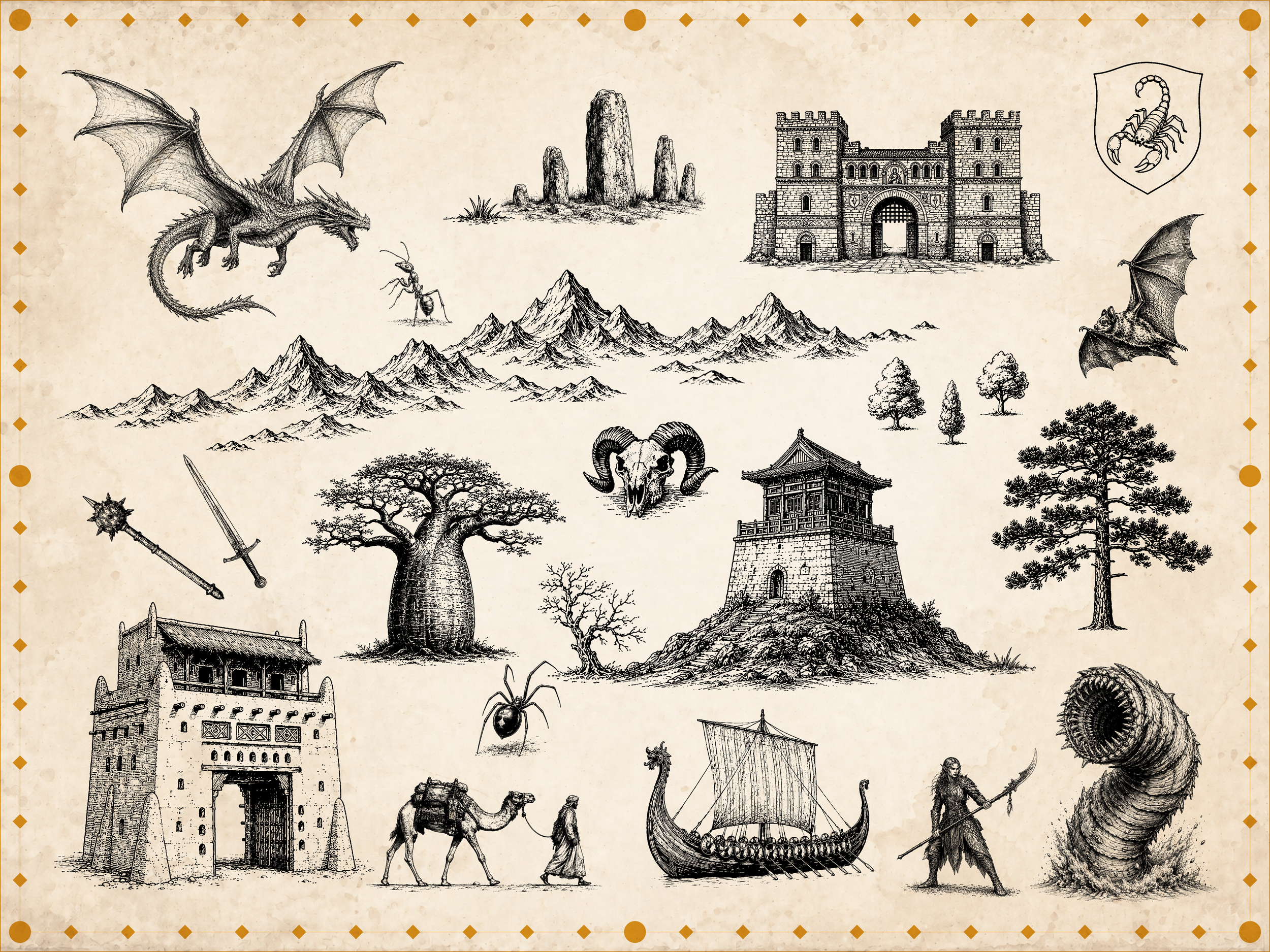
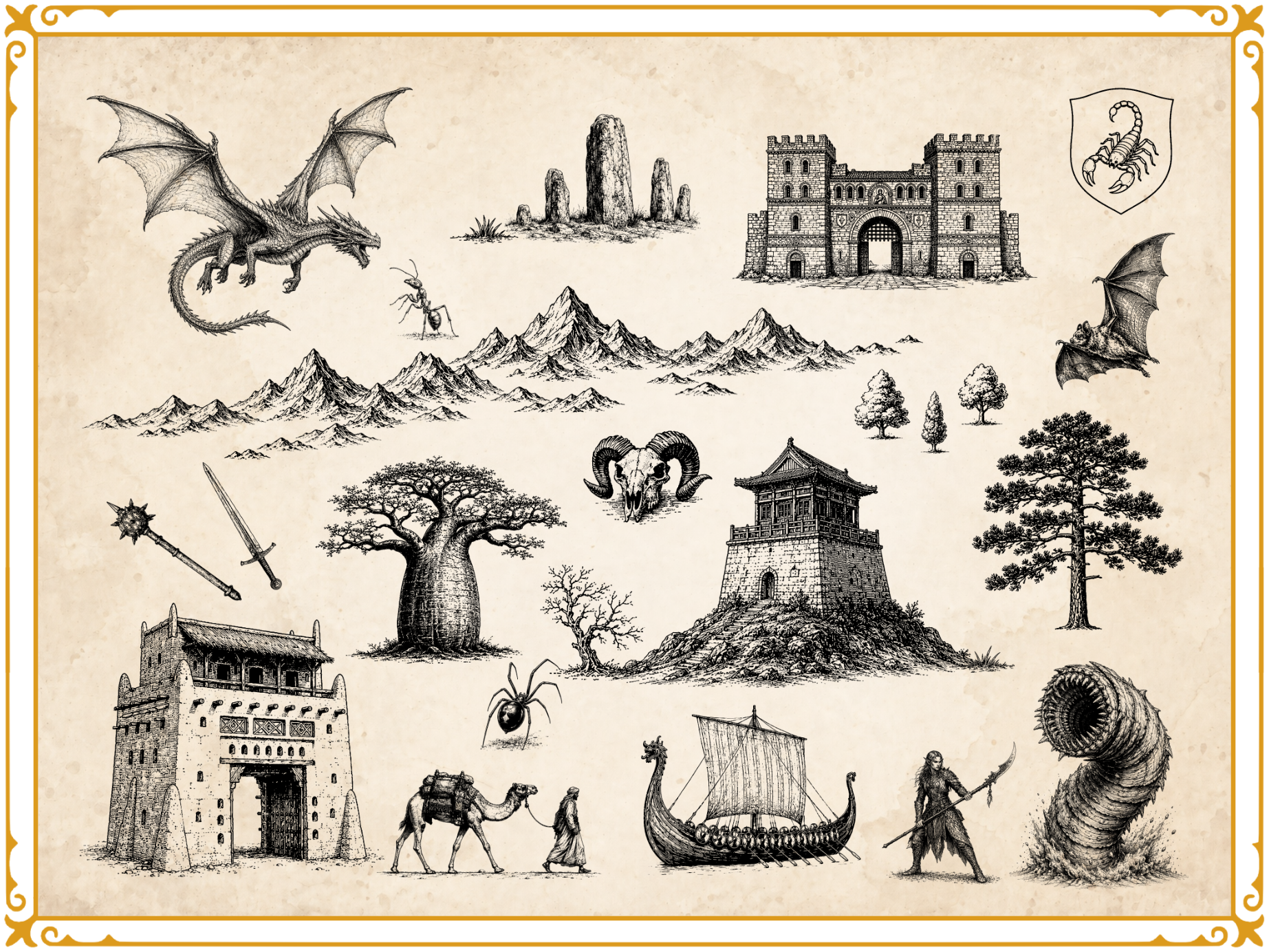
The Explorer Series is the core Art Realms collection: high-resolution map art sets designed for creators who want their worlds to feel rich, detailed, and ready to build on. Each set includes symbols for cities, ruins, terrain, landmarks, borders, creatures, and narrative details, giving authors, RPG creators, worldbuilders, and cartographers a flexible visual library for shaping believable maps. Use them in any graphics program, or bring them into Nova Terra , our

DISCOVER MAP ART SETS
A non-destructive world-building engine disguised as a cartography app.
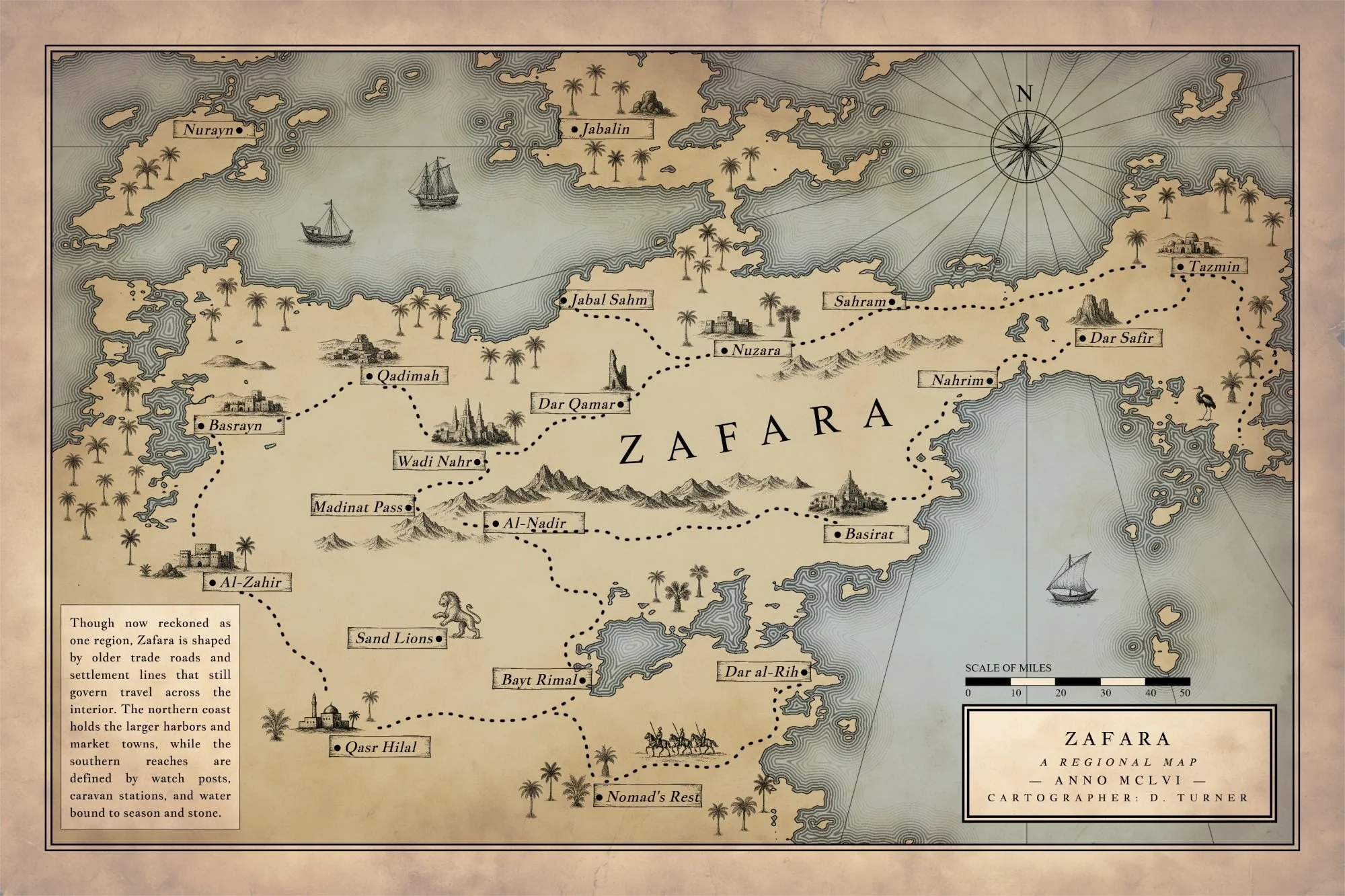
Build living maps where scale, biomes, settlements, and history work together. Nova Terra journeys leagues beyond simply drawing pictures on a page: locations become actual places with populations and climates, popup note cards sync instantly to sorted settlement lists, and every single element remains permanently editable.
Generate infinite landmasses, tune geography on the fly, measure realistic travel times, and drop thousands of stamps without browser lag.
Nova Terra isn’t a digital paint program. It’s a non-destructive system for building complex worlds.
The Standalone Advantage: Complete Creative Sovereignty
Nova Terra runs entirely in your web browser, but it is built to run locally and offline.
No Accounts, No Subscriptions: Your purchase includes a private download link and access password.
Total Privacy: Your data never touches an external server. Files save directly to your computer.
True Offline Utility: Once your symbols download, you can unplug from the internet and keep creating without a login screen ever blocking your workflow.
Core Pillars of the Engine
1. Dynamic World Simulation
Forget static backgrounds. Nova Terra links your map geometry directly to world data. Tweak moisture biases, adjust sea levels, and watch biomes adjust instantly. Tap a settlement to generate a localized climate profile, manage populations, and log world-building lore that updates dynamically.
2. Infinite Mechanical Control
Reshape coastlines, tune terrain roughness, and zoom deeply into regional quadrants to scale up detail without ever redrawing your lines. Every label, road, river, and stamp stays live in an open-format system. If you change your mind fifty hours into a project, the engine adjusts around your choices.
3. High-Performance Asset Management
The app ships with a curated library of 1,600+ hand-drawn style stamps, but it doesn't stop there. Import unlimited custom PNG asset libraries. Nova Terra handles the heavy lifting with an optimized asset pipeline that only loads the symbols active on your canvas, guaranteeing a zero-lag workspace even with thousands of objects placed.
Full Technical Specifications
Procedural Geography & Generation
Algorithmic Landmasses: Generate continents using random seeds, seed history, adjustable sea levels, coastline roughness, and moisture distribution biases.
Localized Scaling: Zoom into specific coordinates to generate high-resolution regional sub-maps without losing your macroscopic layout.
Landmask Tooling: Import raw landmasks to instantly vectorize custom shapes, or use manual draw/erase brushes to sculpt territory by hand.
Realistic Water Systems: Dedicated river vectors with automatic start/end width scaling and customizable protective outlines.
Integrated World-Building Data
The Ledger System: Interactive place markers featuring automatic biome/climate readouts, custom hover cards, and deep text notes.
Settlement Management: Real-time generation of sorted settlement lists, fully exportable to .txt files for campaign documentation.
Chronos Scale Bar: Smart measurement systems featuring a curved-path distance tracker and a travel-time calculator linked to terrain types, travel methods, and custom speed parameters.
Advanced Typography & Layout
Dynamic Labels: Full typographic control for cities, states, and regions featuring custom outer strokes, text drop-shadows, kerning, and independent rotation.
Vector Text Sliders: Wrap text smoothly along custom S-curves and wave paths to follow mountain ranges and coastlines.
Automated Tooling: Cultural name generators for instant inspiration, and automated label placement constraints to keep text on land or hugging the coast.
Layout Architecture: Dedicated, customizable Title Blocks featuring automatic Roman Numeral year conversion, independent text boxes with double-border options, and loose free-text placement.
Professional Stamp & Asset Pipeline
Smart Folder Importing: Drop custom PNG asset folders directly into the app; the file parser automatically reads your subfolder structure and builds clean dropdown menus.
Stamp Automation: Group assets into repeatable "Collections" for fast, intuitive painting of massive mountain ranges, dense forests, complex road networks, or decorative borders.
Placement Mechanics: Density sliders, area-fill tools, random size variation filters, and active overlap prevention logic to keep asset clusters looking natural.
Canvas Ergonomics: Global opacity sliders, mass-selection handling, quick tap-to-nudge placement, and native copy/paste (Ctrl+C / Ctrl+V) support.
Illustration, Color, & Texturing
Universal Ink Styling: Switch between a classic, clean ink style, monochrome print variants, or vibrant full-color map modes with a single click.
The Paint Overlay: Add atmospheric depth, highlights, regional political shading, or custom blending using soft brushes with full opacity and blur control.
Visual Rhythm: Utilize pattern-fill and pattern-drawing brushes to texture large swaths of the map instantly without placing independent marks.
Background Overlays: Native paper texture previewing with hue, saturation, and brightness tint controls. Includes a standalone companion app to embed high-fidelity paper textures directly into your final exports.
Reference Image Guidance: Import, scale, rotate, and lock underlying reference sketches with dedicated hotkey visibility toggles (Ctrl+O) to trace existing maps.
Technical Architecture & System Requirements
Storage & Export: Maps save locally as open-format, human-readable .json files. High-resolution exports render out as clean, production-ready PNGs with 300 DPI print guidance.
Memory Efficiency: Built with reactive asset loading. The rendering engine bypasses large asset libraries to load only what is drawn on screen, ensuring performance stability over massive project files.
Compatibility: Optimized for modern desktop browsers including Google Chrome, Mozilla Firefox, Microsoft Edge, and Opera. (Mac/Safari testing currently ongoing).
A non-destructive world-building engine disguised as a cartography app.
Build living maps where scale, biomes, settlements, and history work together. Nova Terra journeys leagues beyond simply drawing pictures on a page: locations become actual places with populations and climates, popup note cards sync instantly to sorted settlement lists, and every single element remains permanently editable.
Generate infinite landmasses, tune geography on the fly, measure realistic travel times, and drop thousands of stamps without browser lag.
Nova Terra isn’t a digital paint program. It’s a non-destructive system for building complex worlds.
The Standalone Advantage: Complete Creative Sovereignty
Nova Terra runs entirely in your web browser, but it is built to run locally and offline.
No Accounts, No Subscriptions: Your purchase includes a private download link and access password.
Total Privacy: Your data never touches an external server. Files save directly to your computer.
True Offline Utility: Once your symbols download, you can unplug from the internet and keep creating without a login screen ever blocking your workflow.
Core Pillars of the Engine
1. Dynamic World Simulation
Forget static backgrounds. Nova Terra links your map geometry directly to world data. Tweak moisture biases, adjust sea levels, and watch biomes adjust instantly. Tap a settlement to generate a localized climate profile, manage populations, and log world-building lore that updates dynamically.
2. Infinite Mechanical Control
Reshape coastlines, tune terrain roughness, and zoom deeply into regional quadrants to scale up detail without ever redrawing your lines. Every label, road, river, and stamp stays live in an open-format system. If you change your mind fifty hours into a project, the engine adjusts around your choices.
3. High-Performance Asset Management
The app ships with a curated library of 1,600+ hand-drawn style stamps, but it doesn't stop there. Import unlimited custom PNG asset libraries. Nova Terra handles the heavy lifting with an optimized asset pipeline that only loads the symbols active on your canvas, guaranteeing a zero-lag workspace even with thousands of objects placed.
Full Technical Specifications
Procedural Geography & Generation
Algorithmic Landmasses: Generate continents using random seeds, seed history, adjustable sea levels, coastline roughness, and moisture distribution biases.
Localized Scaling: Zoom into specific coordinates to generate high-resolution regional sub-maps without losing your macroscopic layout.
Landmask Tooling: Import raw landmasks to instantly vectorize custom shapes, or use manual draw/erase brushes to sculpt territory by hand.
Realistic Water Systems: Dedicated river vectors with automatic start/end width scaling and customizable protective outlines.
Integrated World-Building Data
The Ledger System: Interactive place markers featuring automatic biome/climate readouts, custom hover cards, and deep text notes.
Settlement Management: Real-time generation of sorted settlement lists, fully exportable to .txt files for campaign documentation.
Chronos Scale Bar: Smart measurement systems featuring a curved-path distance tracker and a travel-time calculator linked to terrain types, travel methods, and custom speed parameters.
Advanced Typography & Layout
Dynamic Labels: Full typographic control for cities, states, and regions featuring custom outer strokes, text drop-shadows, kerning, and independent rotation.
Vector Text Sliders: Wrap text smoothly along custom S-curves and wave paths to follow mountain ranges and coastlines.
Automated Tooling: Cultural name generators for instant inspiration, and automated label placement constraints to keep text on land or hugging the coast.
Layout Architecture: Dedicated, customizable Title Blocks featuring automatic Roman Numeral year conversion, independent text boxes with double-border options, and loose free-text placement.
Professional Stamp & Asset Pipeline
Smart Folder Importing: Drop custom PNG asset folders directly into the app; the file parser automatically reads your subfolder structure and builds clean dropdown menus.
Stamp Automation: Group assets into repeatable "Collections" for fast, intuitive painting of massive mountain ranges, dense forests, complex road networks, or decorative borders.
Placement Mechanics: Density sliders, area-fill tools, random size variation filters, and active overlap prevention logic to keep asset clusters looking natural.
Canvas Ergonomics: Global opacity sliders, mass-selection handling, quick tap-to-nudge placement, and native copy/paste (Ctrl+C / Ctrl+V) support.
Illustration, Color, & Texturing
Universal Ink Styling: Switch between a classic, clean ink style, monochrome print variants, or vibrant full-color map modes with a single click.
The Paint Overlay: Add atmospheric depth, highlights, regional political shading, or custom blending using soft brushes with full opacity and blur control.
Visual Rhythm: Utilize pattern-fill and pattern-drawing brushes to texture large swaths of the map instantly without placing independent marks.
Background Overlays: Native paper texture previewing with hue, saturation, and brightness tint controls. Includes a standalone companion app to embed high-fidelity paper textures directly into your final exports.
Reference Image Guidance: Import, scale, rotate, and lock underlying reference sketches with dedicated hotkey visibility toggles (Ctrl+O) to trace existing maps.
Technical Architecture & System Requirements
Storage & Export: Maps save locally as open-format, human-readable .json files. High-resolution exports render out as clean, production-ready PNGs with 300 DPI print guidance.
Memory Efficiency: Built with reactive asset loading. The rendering engine bypasses large asset libraries to load only what is drawn on screen, ensuring performance stability over massive project files.
Compatibility: Optimized for modern desktop browsers including Google Chrome, Mozilla Firefox, Microsoft Edge, and Opera. (Mac/Safari testing currently ongoing).