Nova Terra Map Creator Stand Alone Web App

$39.00

Updated to V2 with more features
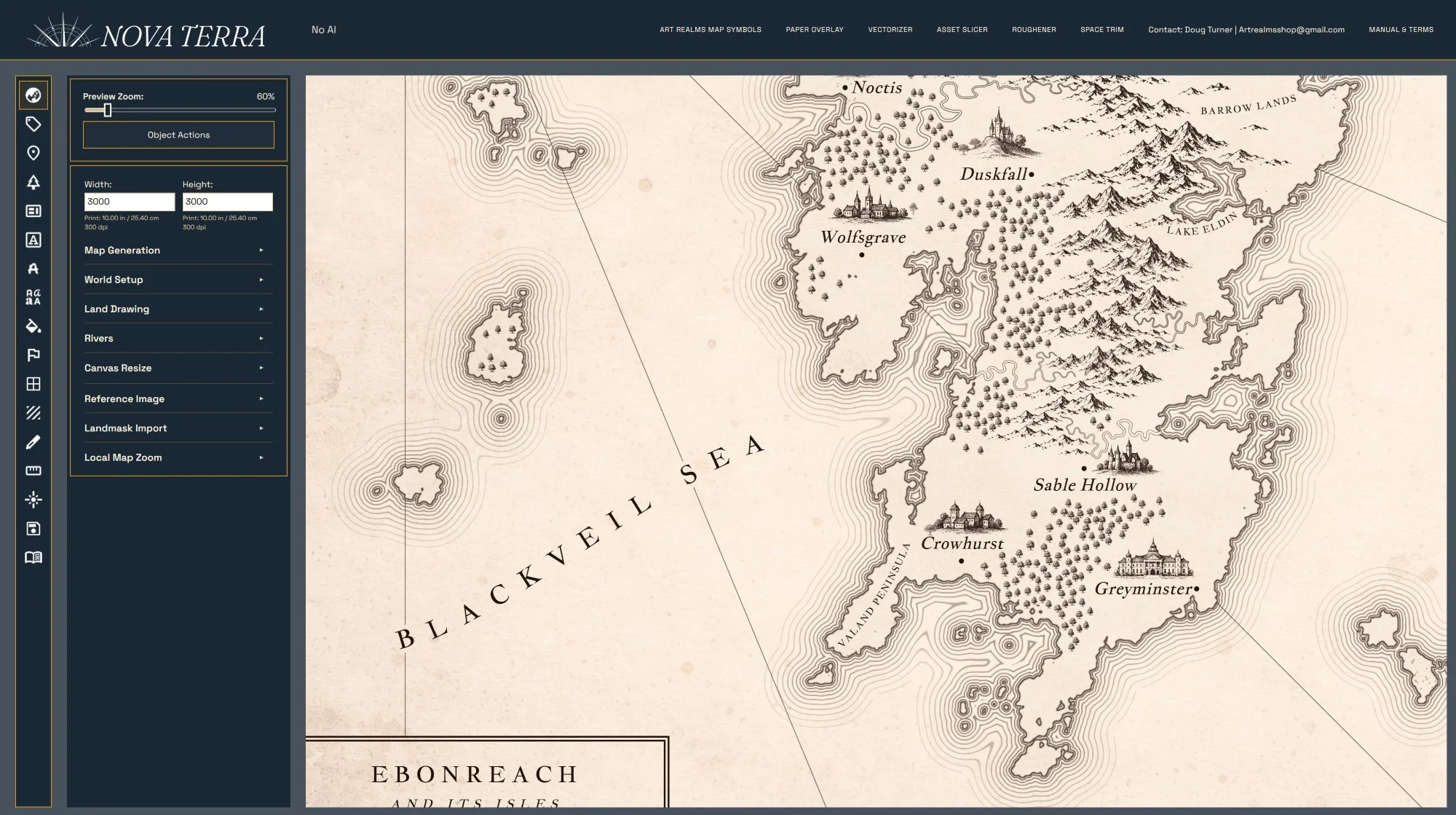
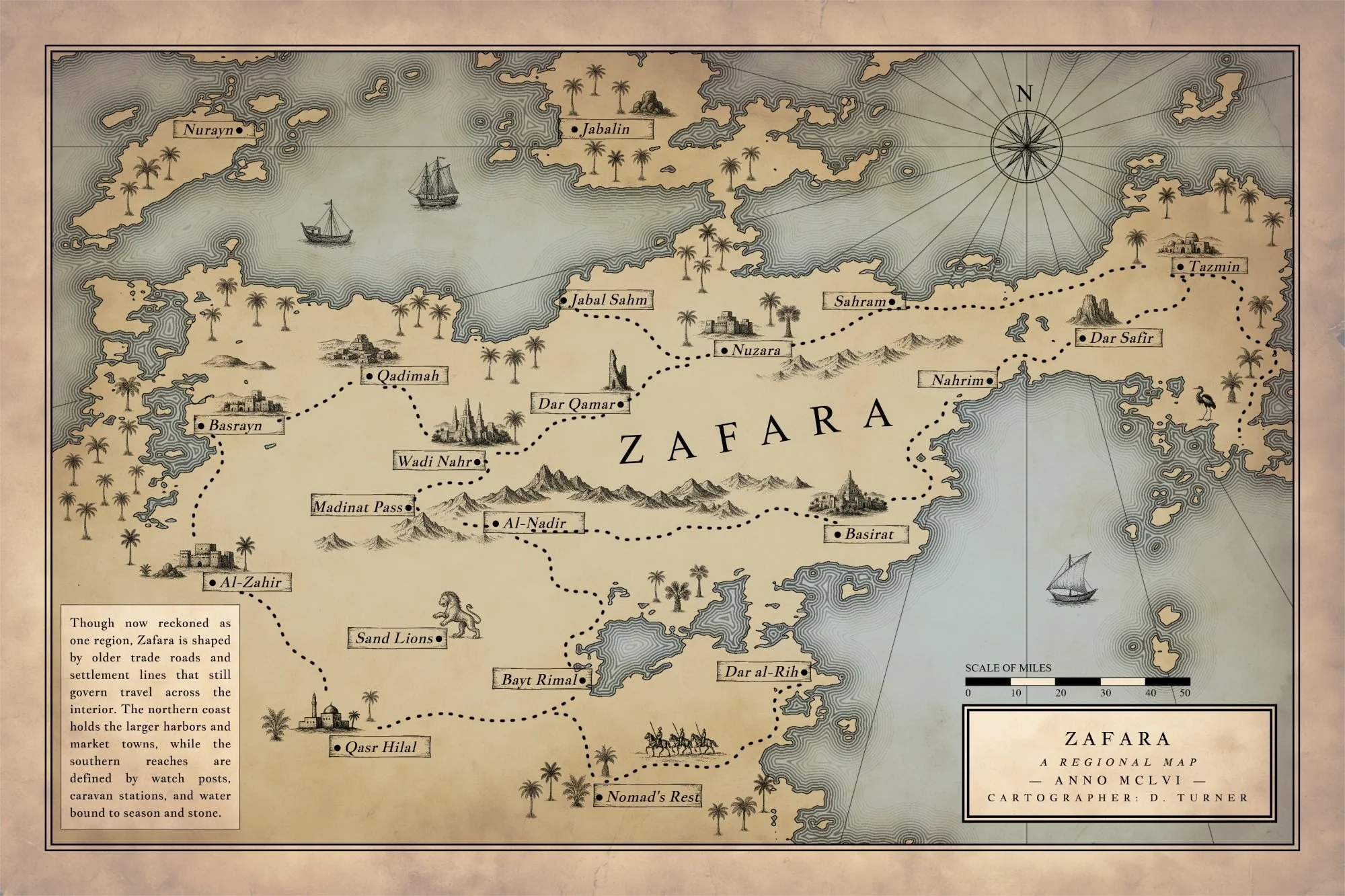
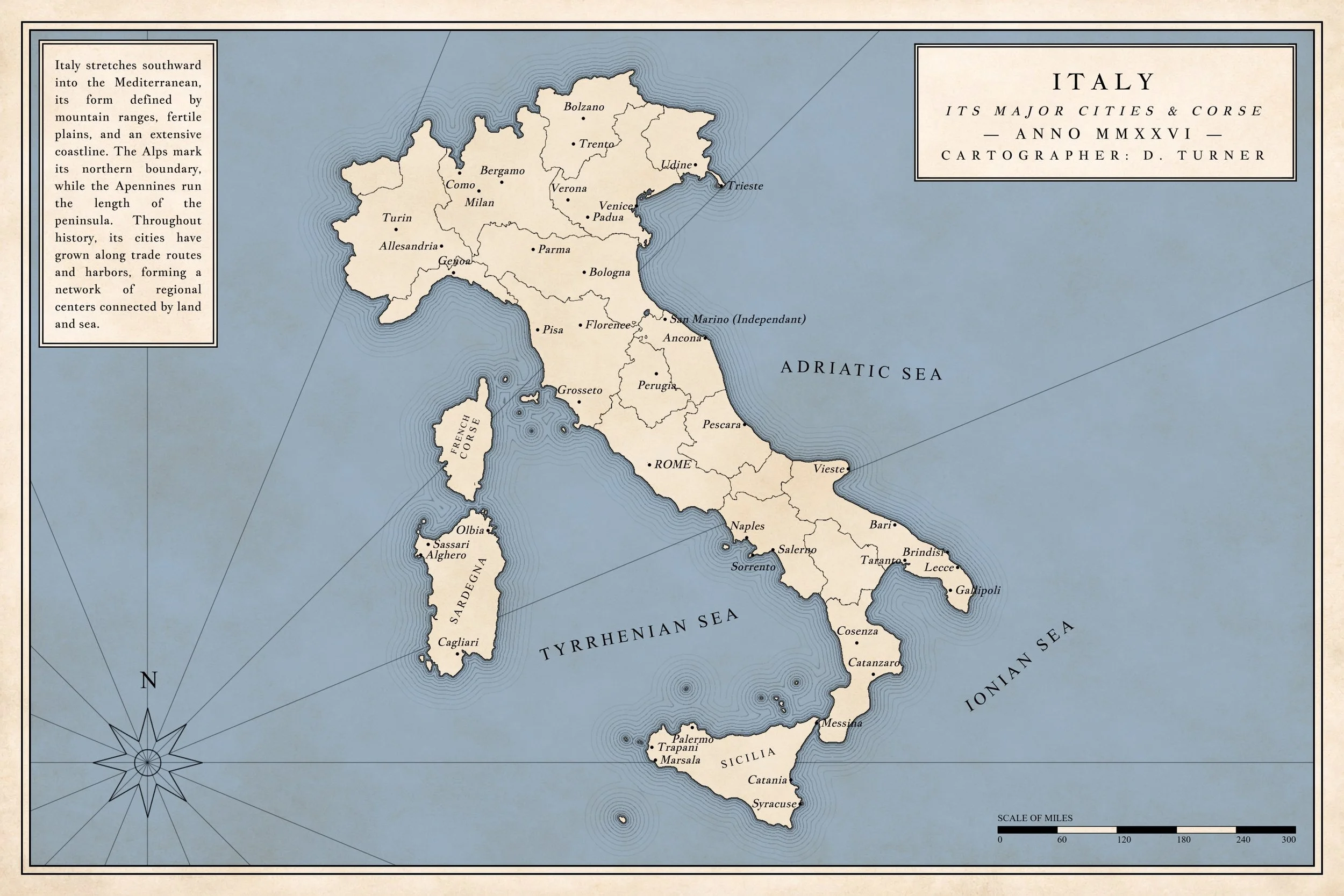
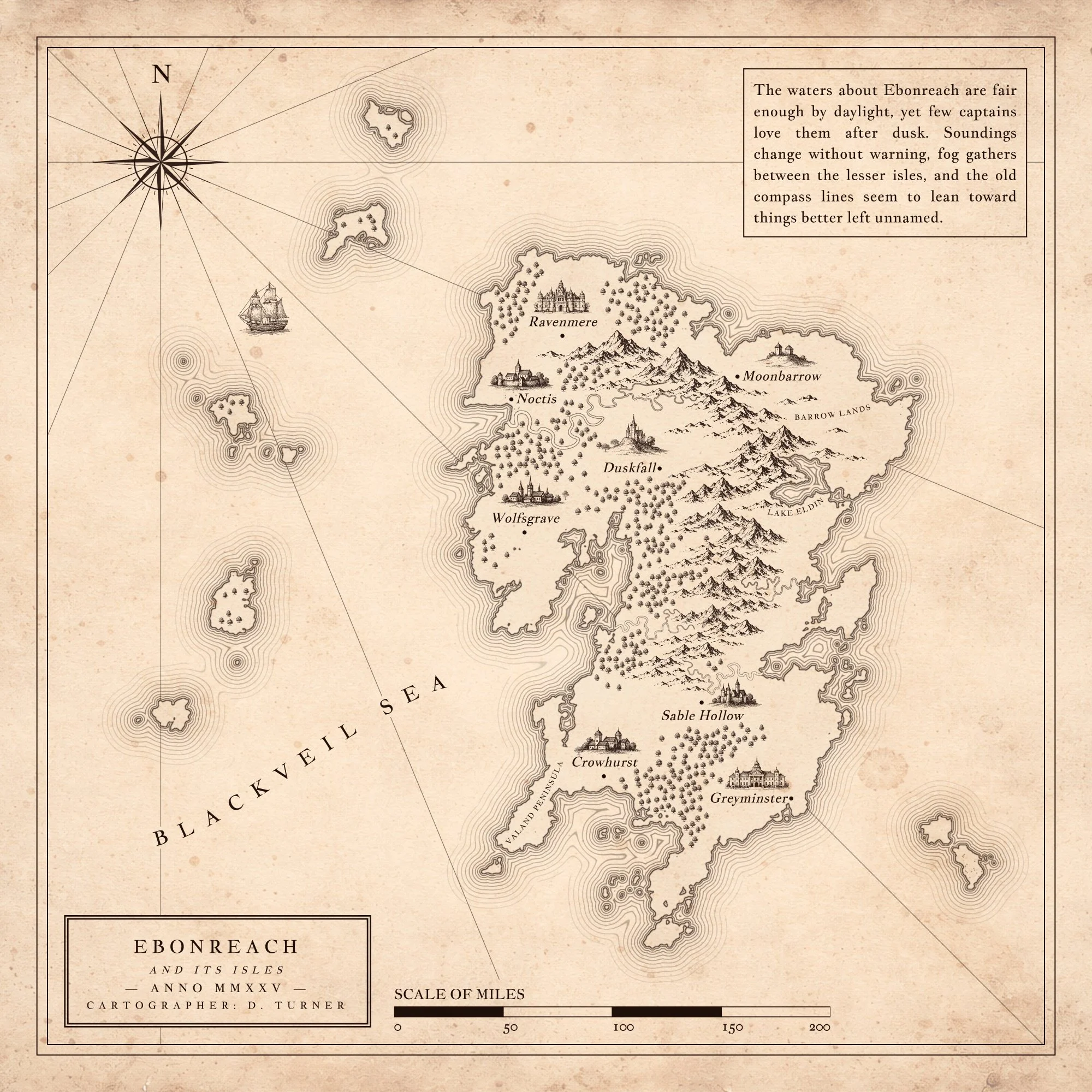
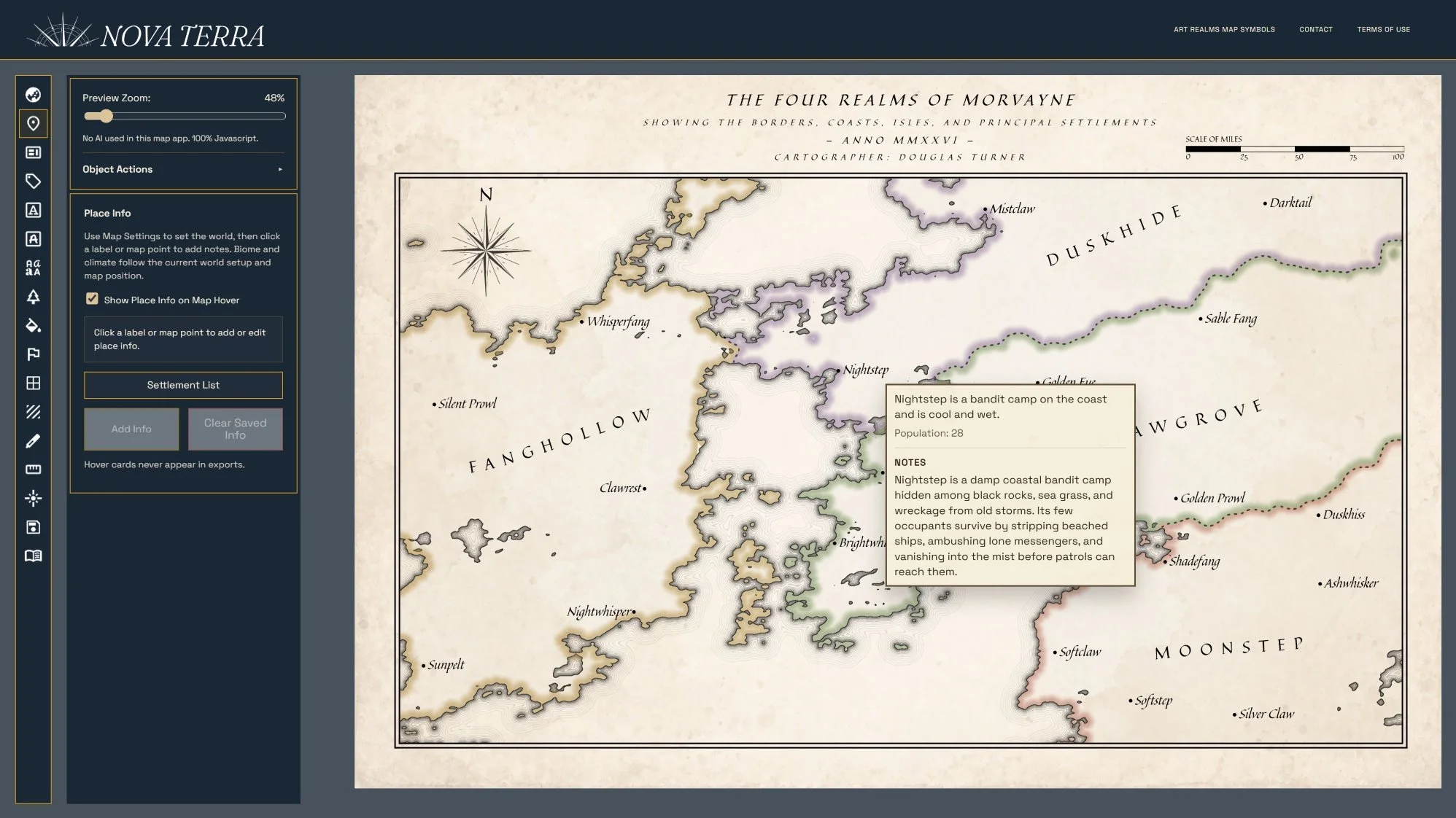
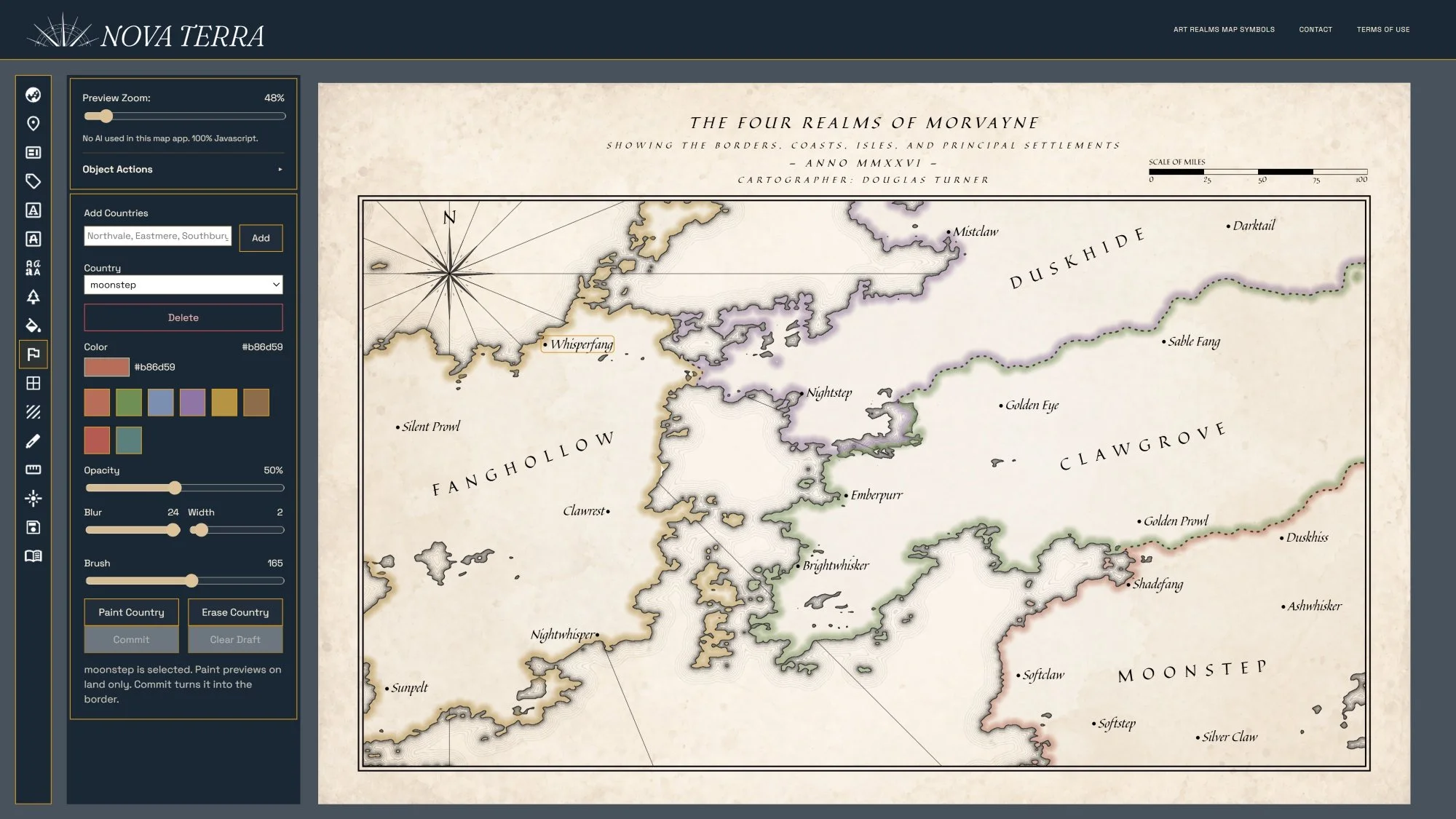
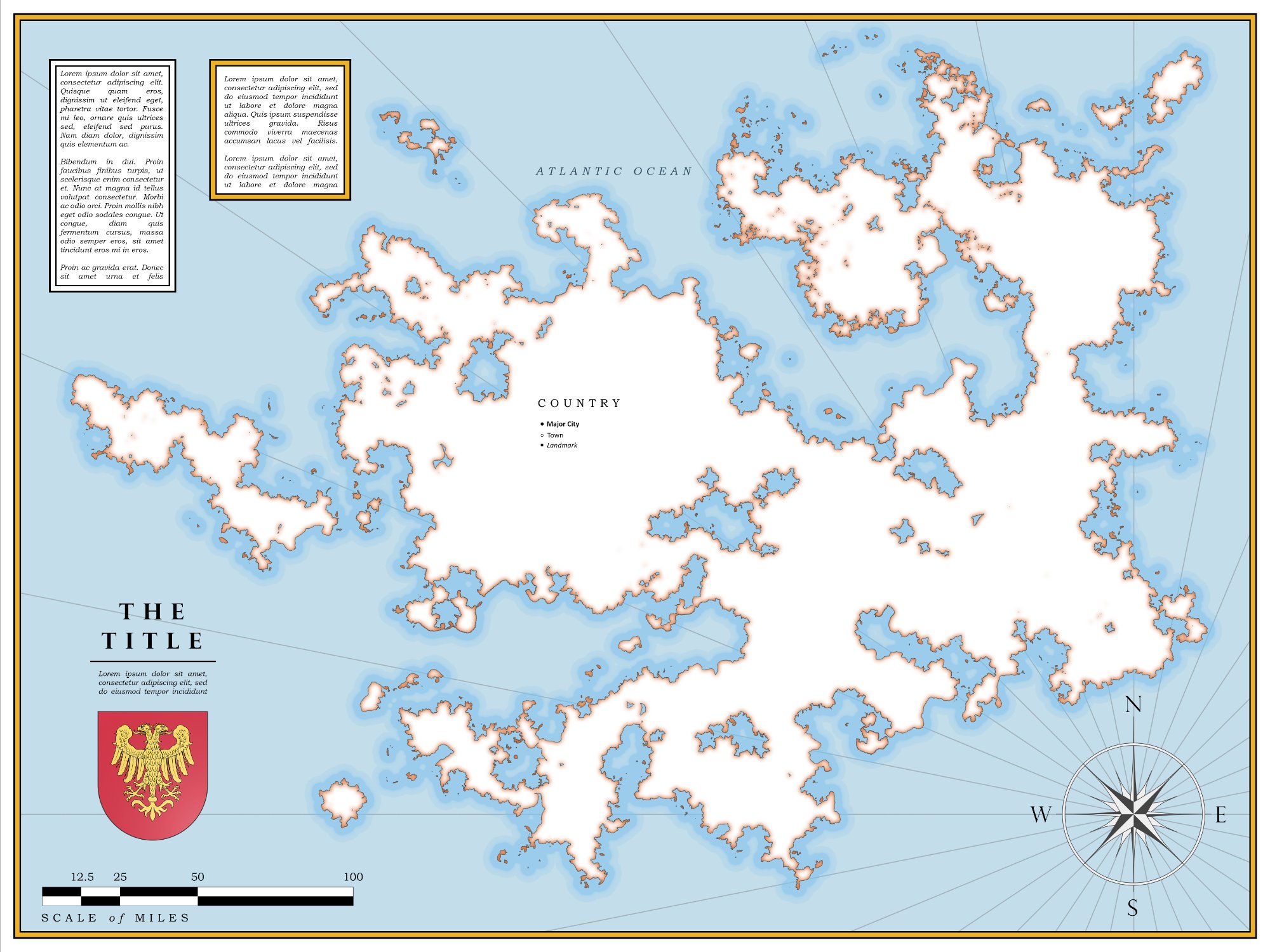
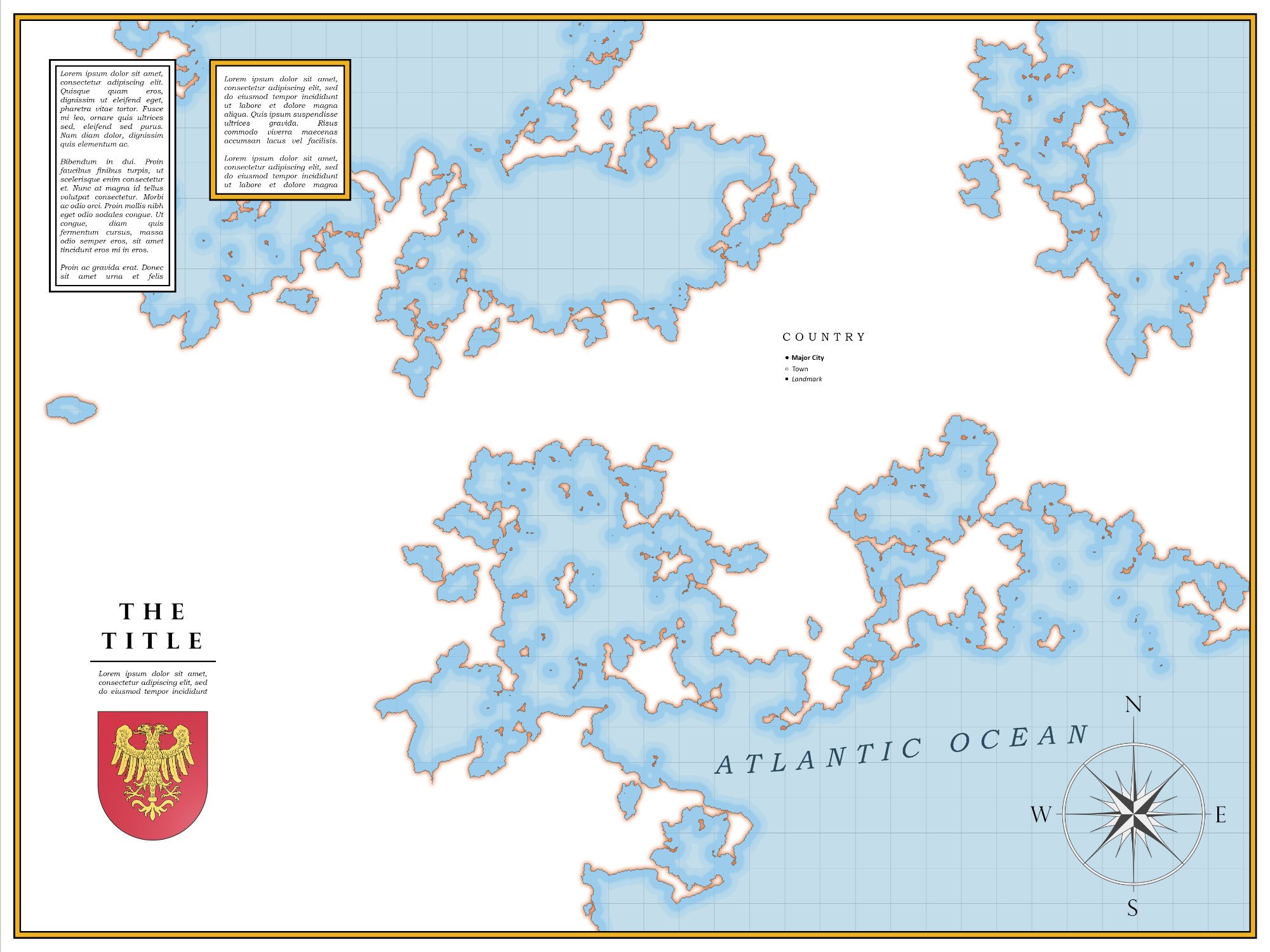
Create real or fantasy maps with scale, biomes, grids, settlements, notes, stamps, and export settings working together. Nova Terra journeys leagues beyond drawing pictures on a page: locations become places with populations and climates, popup note cards sync to sorted settlement lists, and every major map element stays editable.

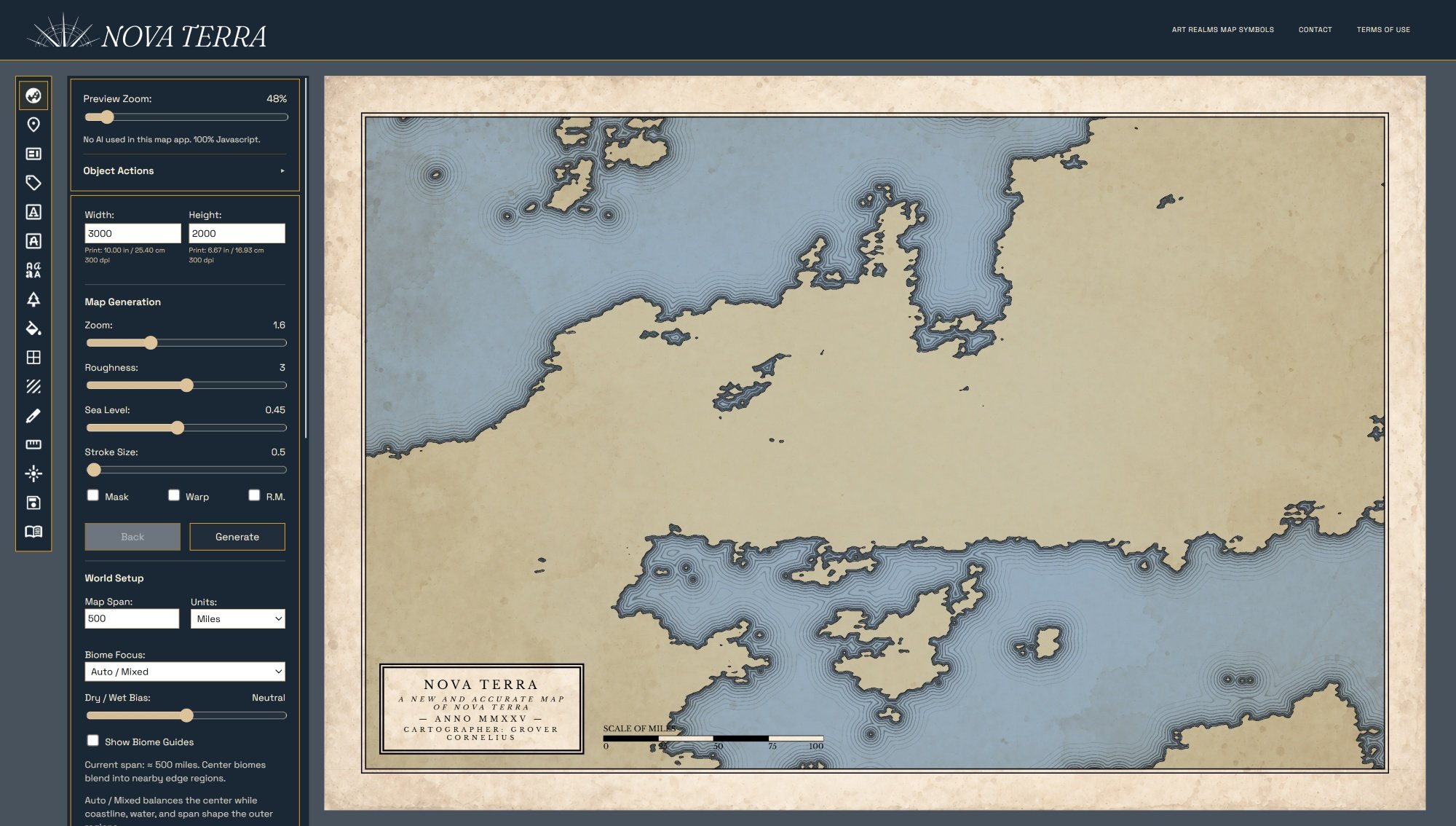
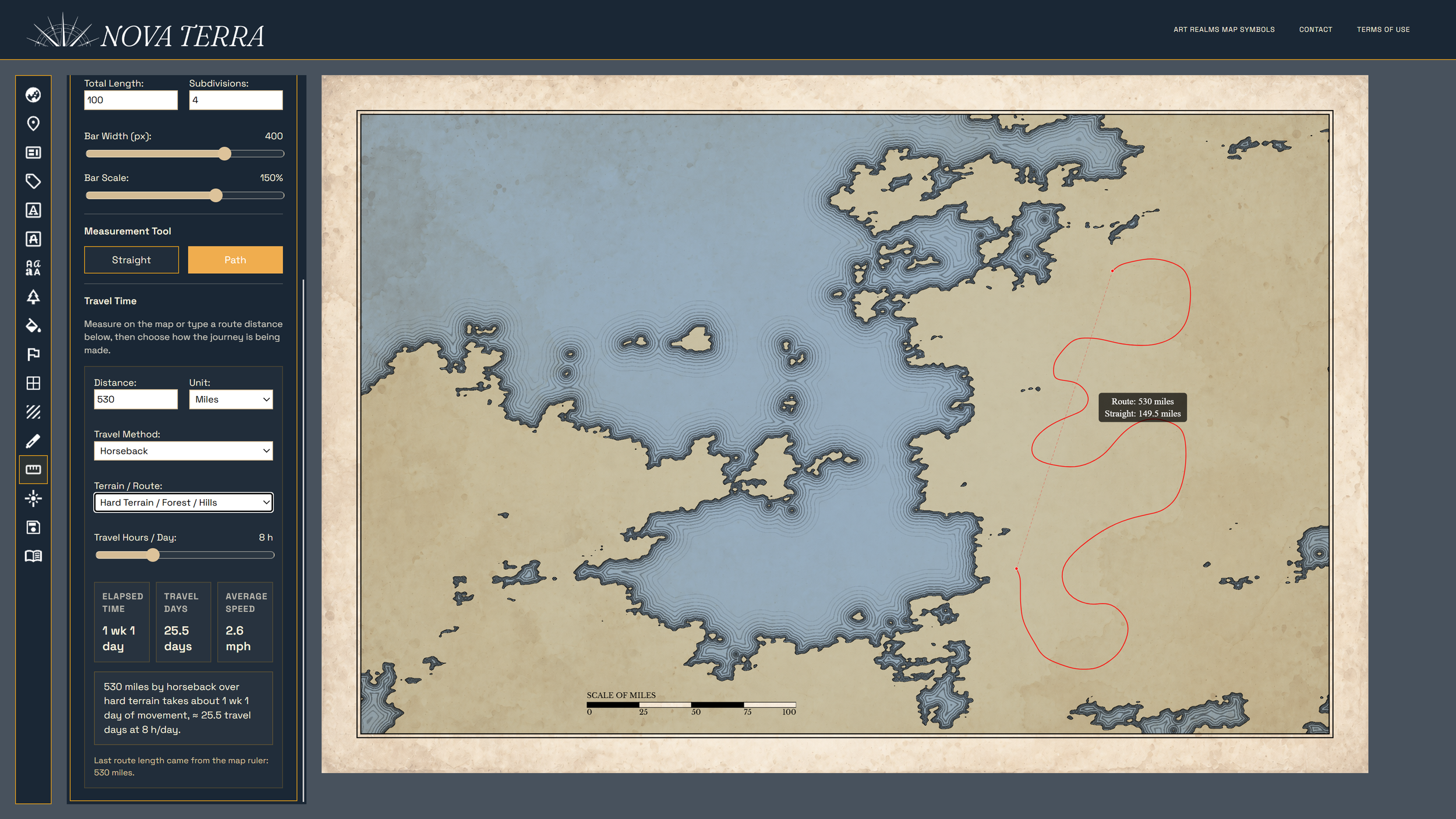
Generate and reshape landmasses with full control—raise or lower sea levels, tune coastline roughness, zoom into regions, and increase resolution without redrawing. Apply a unified ink style or full color instantly. Measure distance with instant travel-time readouts, import auto-cleaned PNG stamps, and export print-aware maps at exact size.

Every system stays editable. Every detail stays under your control.

Nova Terra isn’t a paint program. It’s a non-destructive system for building maps that hold together.

Nova Terra is browser based, and can run offline. It works in Chrome, Opera, Firefox, and Microsoft Edge. Safari and Mac support is still being confirmed.

Your download includes a private access link and password. Nova Terra is designed to run locally after symbols download, meaning you can keep using it offline from your computer without accounts, logins, or server access. Files save to your pc.

Key Features

  • Procedural landmass generation with sea level, roughness, zoom, and seed history

  • World scale, biomes, grids, measurement, and travel time designed to work together

  • Place info with climates, populations, hover cards, notes, and settlement lists

  • Labels, regions, title blocks, boxed text, and free text with typographic control

  • 1,600 included stamps plus unlimited custom PNG imports with instant cleanup

  • Universal ink, full-color map mode, monochrome print options, textures, and borders

  • Flexible canvas sizing with 300 DPI print-size readouts

  • Save groups of symbols for later use

  • Favorite symbols

  • Save editable JSON files and export high-resolution PNGs

I spent a year developing and refining Nova Terra into an unusually flexible, deeply editable map creator. Check out the full specs:

Preview Zoom
10% - 500%

Object Actions
Lock/unlock selected objects; group/ungroup; duplicate; delete; clear selection, align left, center, right etc,

Map Settings
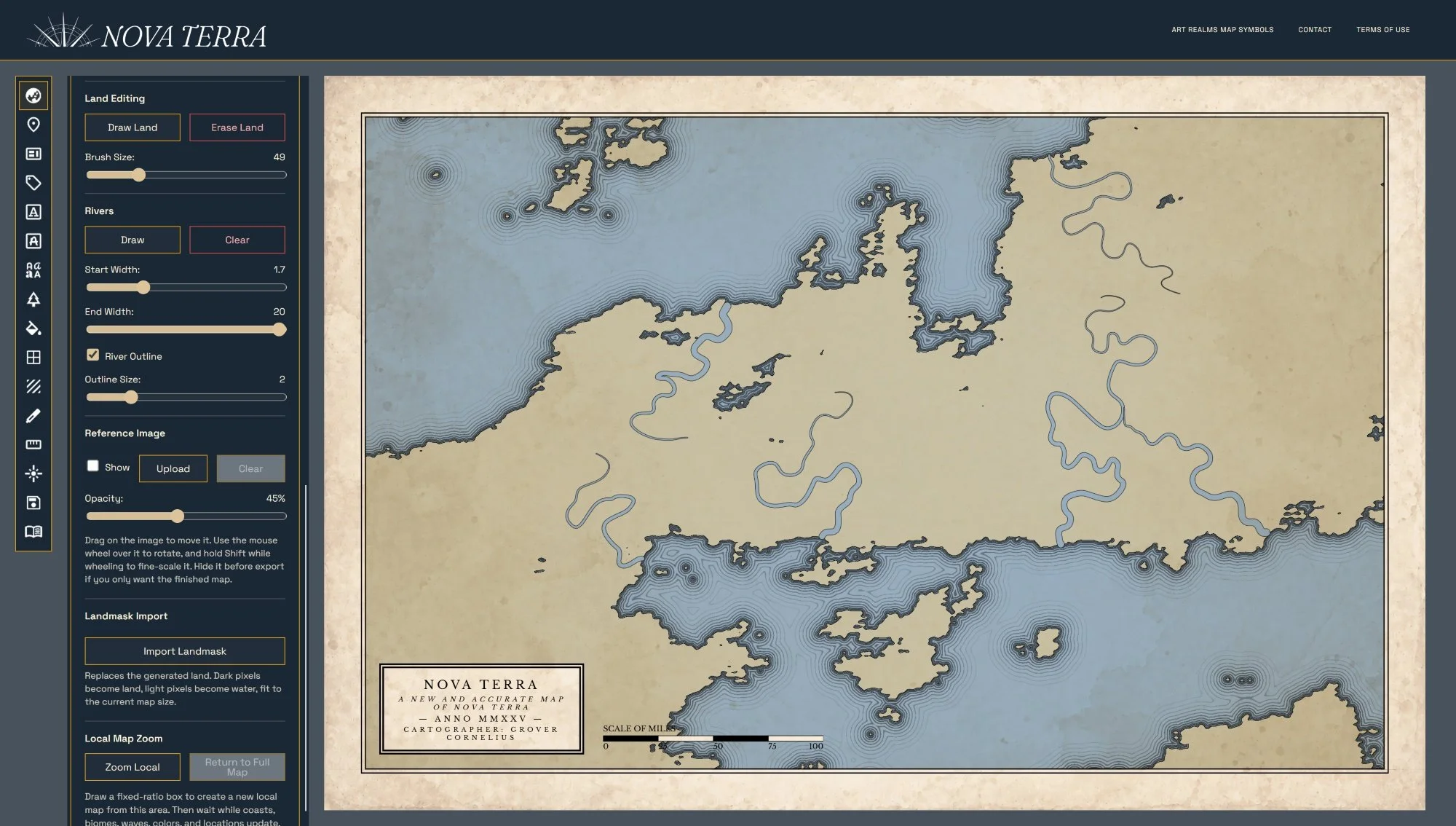
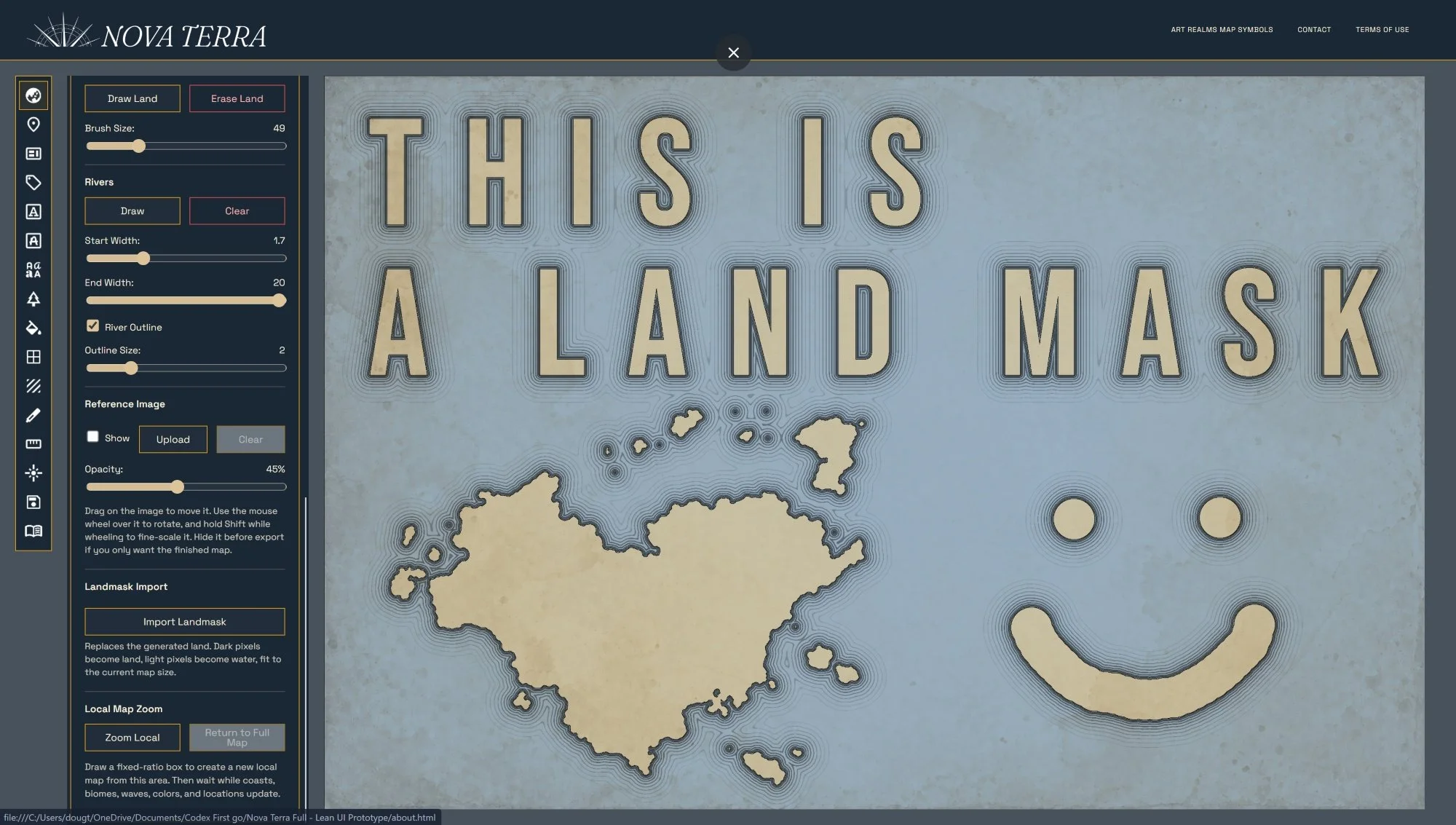
Map width/height with 300 dpi print-size readouts; procedural generation controls with seed history/back; world setup with map span, units, biome focus, moisture bias, biome guides; draw/erase land; river drawing with start/end width and optional outline; reference image upload/show/opacity with drag/rotate/scale workflow; landmask import; local zoom/unzoom into a selected region.

Place Info
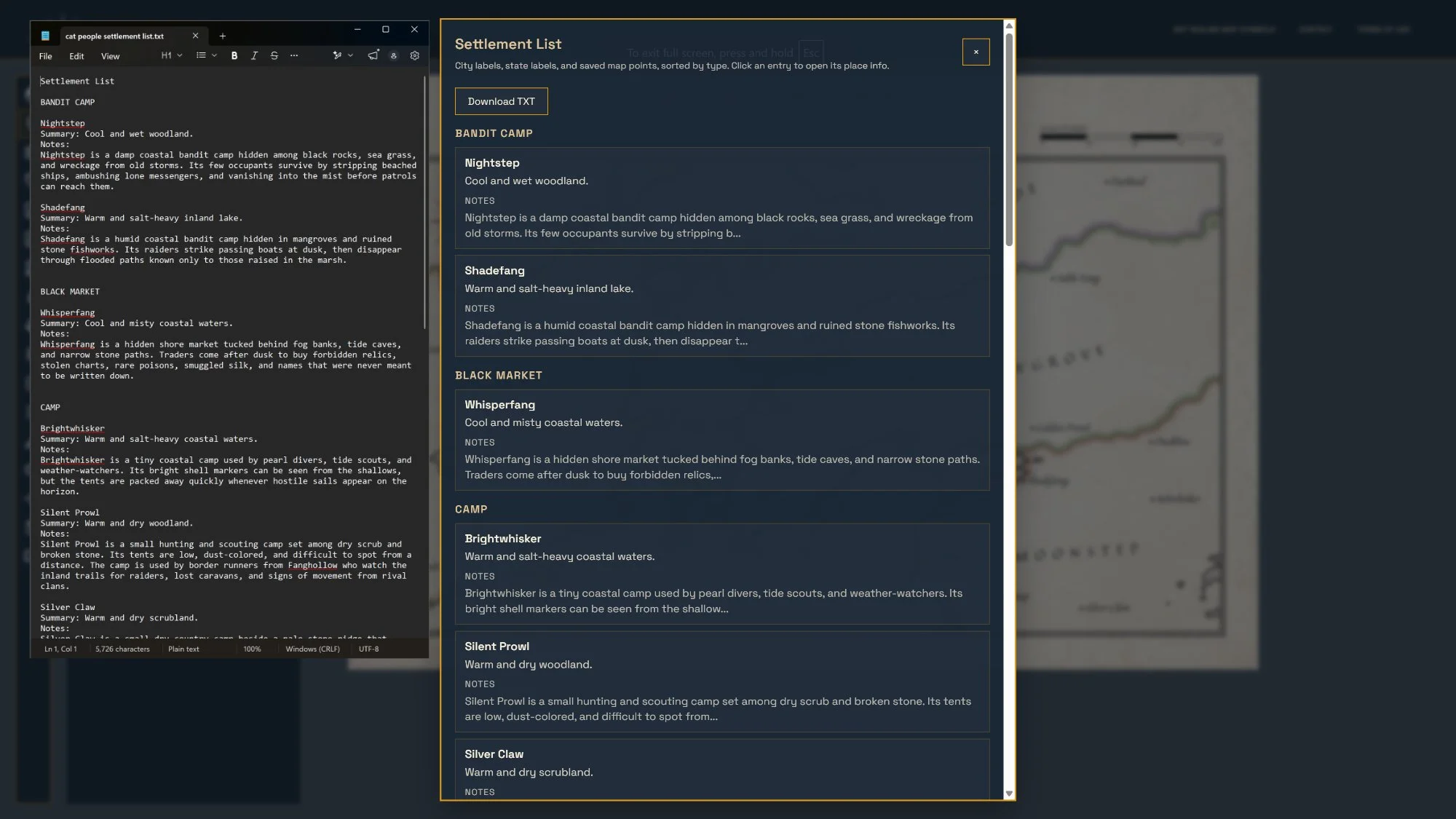
Click labels or map points to add worldbuilding notes; optional hover cards; generated biome/climate summary from world setup; edit selected place; clear saved info; settlement list, export settlement list to .txt file.

Title Block
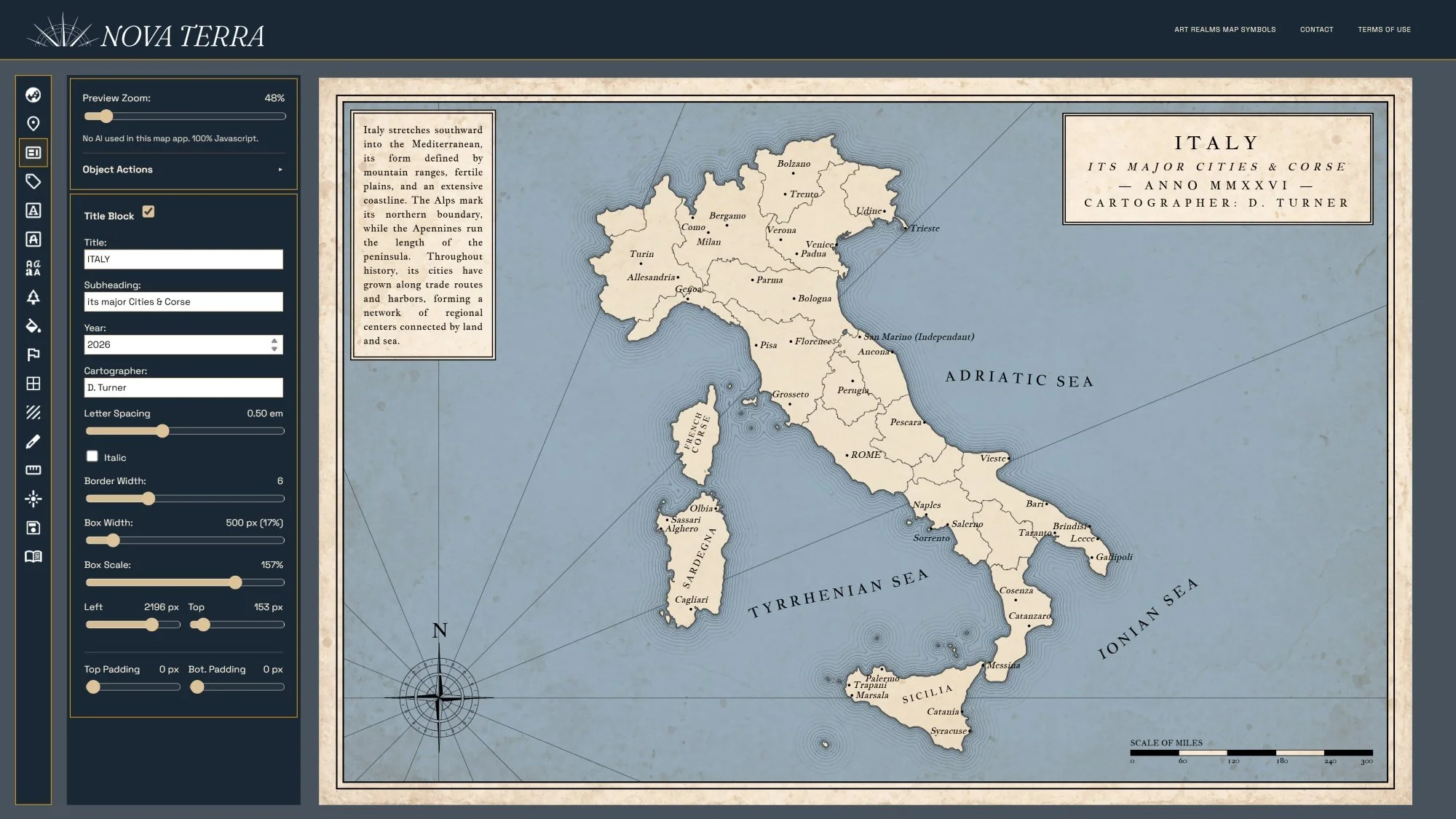
Show/hide; title, subheading, year (automatic roman numerals), cartographer; letter spacing and italic; border width; box width and scale; left/top position; extra top/bottom padding.

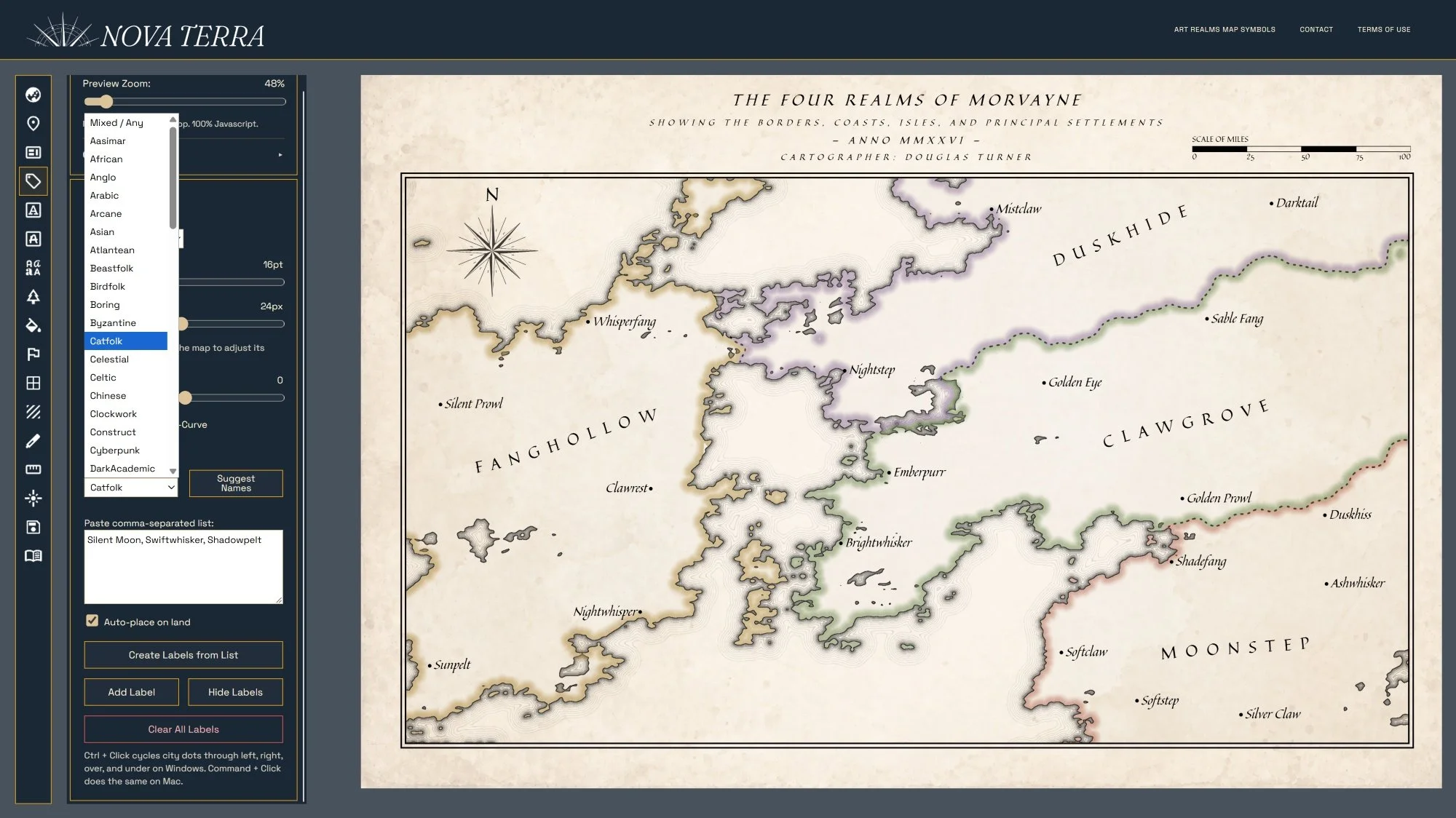
Labels
City or state/region labels; city/state font sizing; state letter spacing, per-label wave, optional S-curve; culture-based name suggestions; batch label creation from pasted lists; optional auto-place on land/coast; add, hide, and clear labels.

Text Boxes
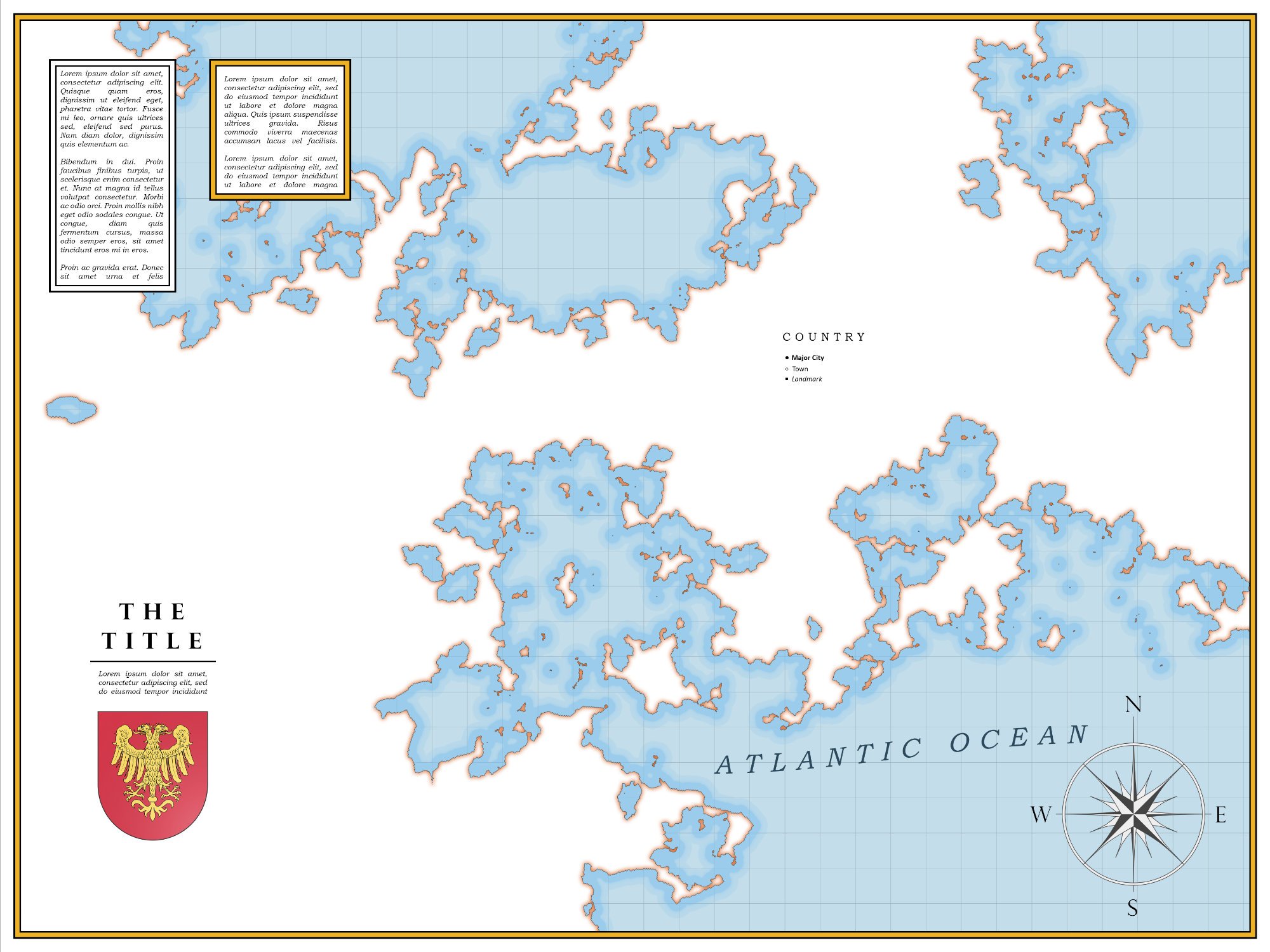
Add boxed text blocks; edit content; selected box font size, width, padding, alignment, border on/off, border width, and double border.

Free Text
Add loose text anywhere; selected text font size, letter spacing, curve, and map-based rotation after placement.

Fonts
One shared universal font for labels, place info, title block, text boxes, and free text; bundled and system-font workflow notes for export.

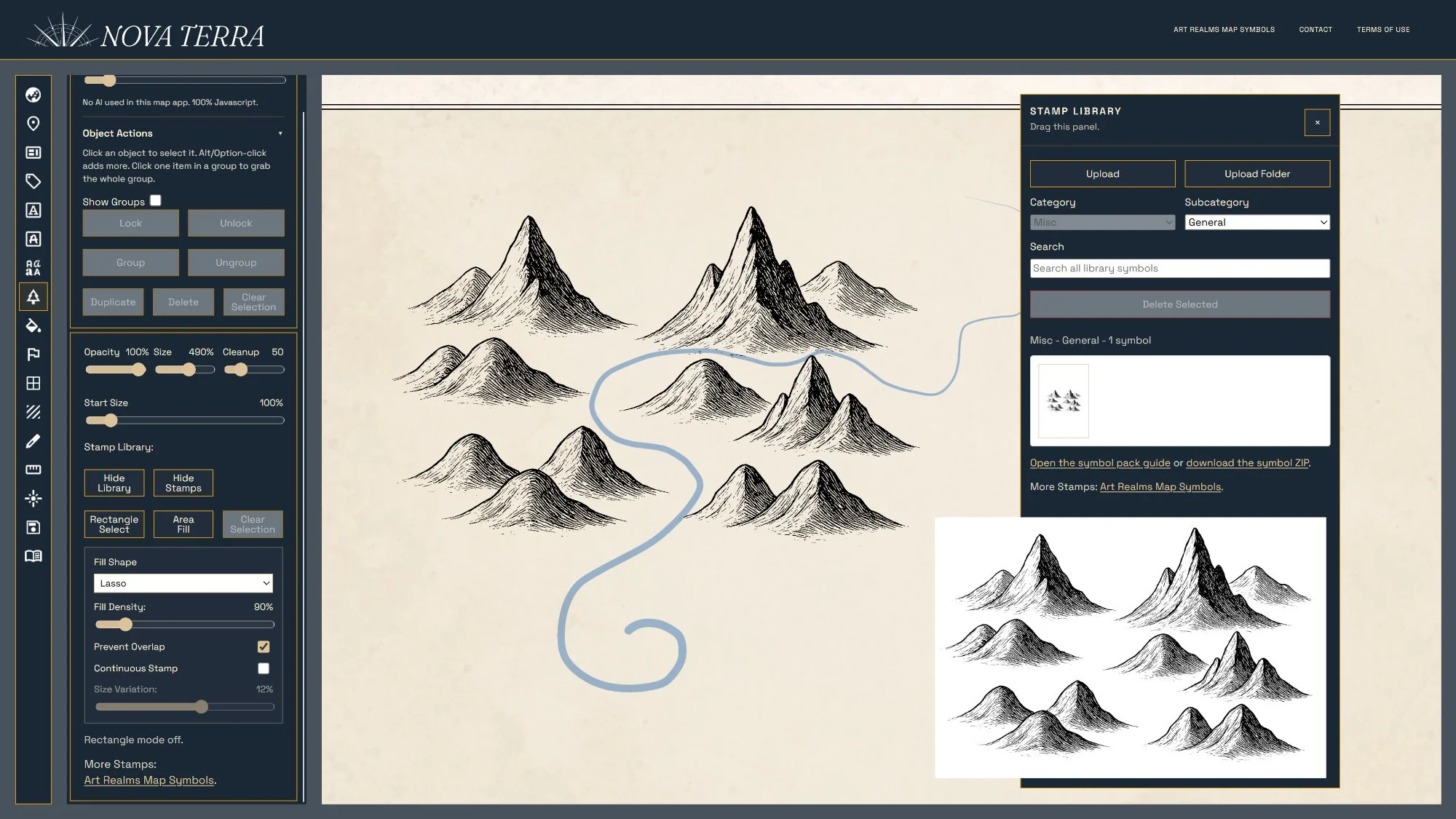
Stamps
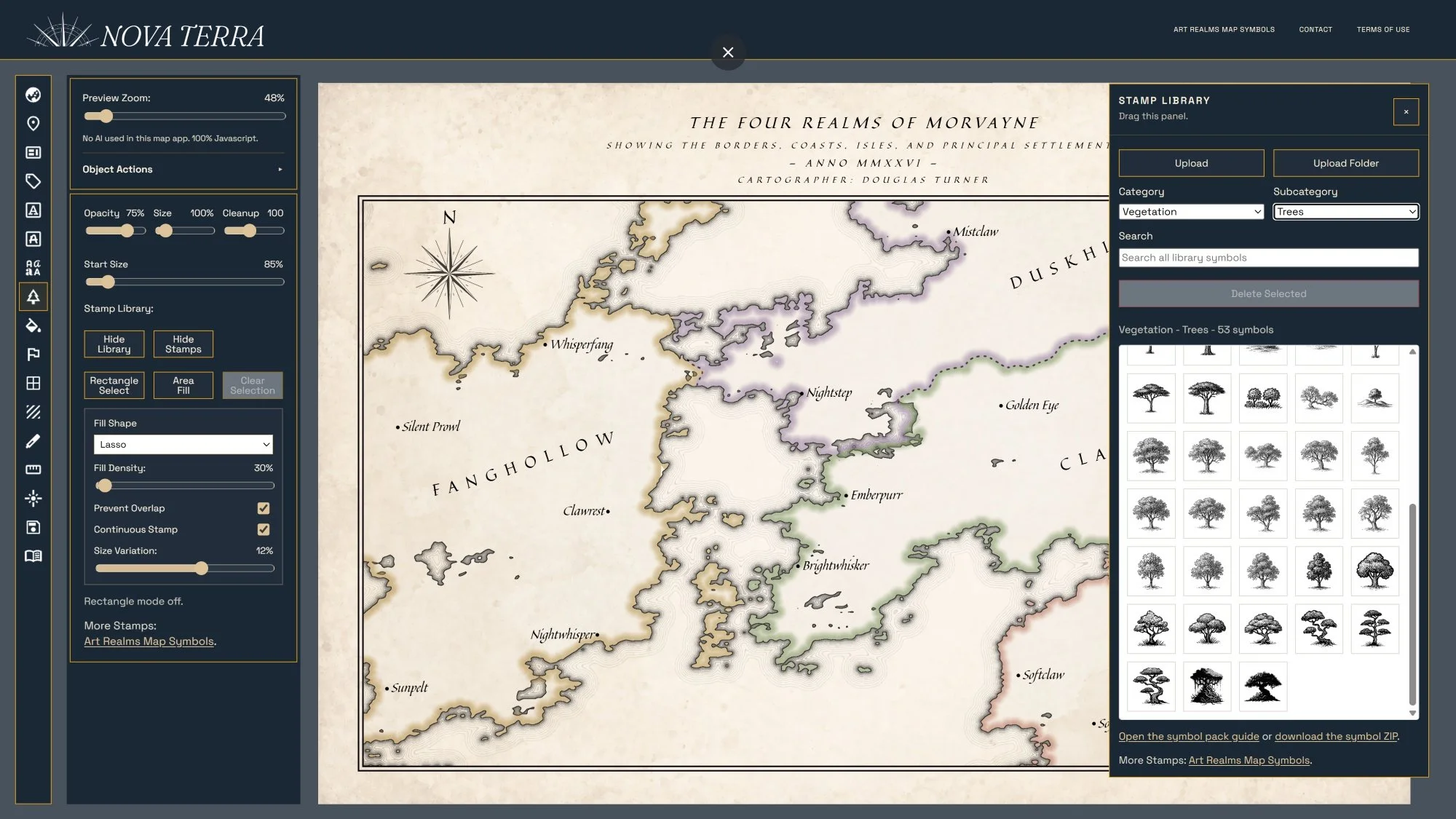
Pop-out stamp library; custom upload unlimited stamps, 1,600 included stamps neatly organized and labeled; import PNG stamps from single files or folders; auto-recognizes folders/subfolders and organizes them into dropdowns; bundled symbol-pack guide and external pack links; global placed-stamp opacity, size, and
auto-cleanup/cleanup controls; place/hide/cancel; rectangle select; area fill; lasso/rectangle fill shape; fill density; prevent overlap; continuous stamp; random size variation. 

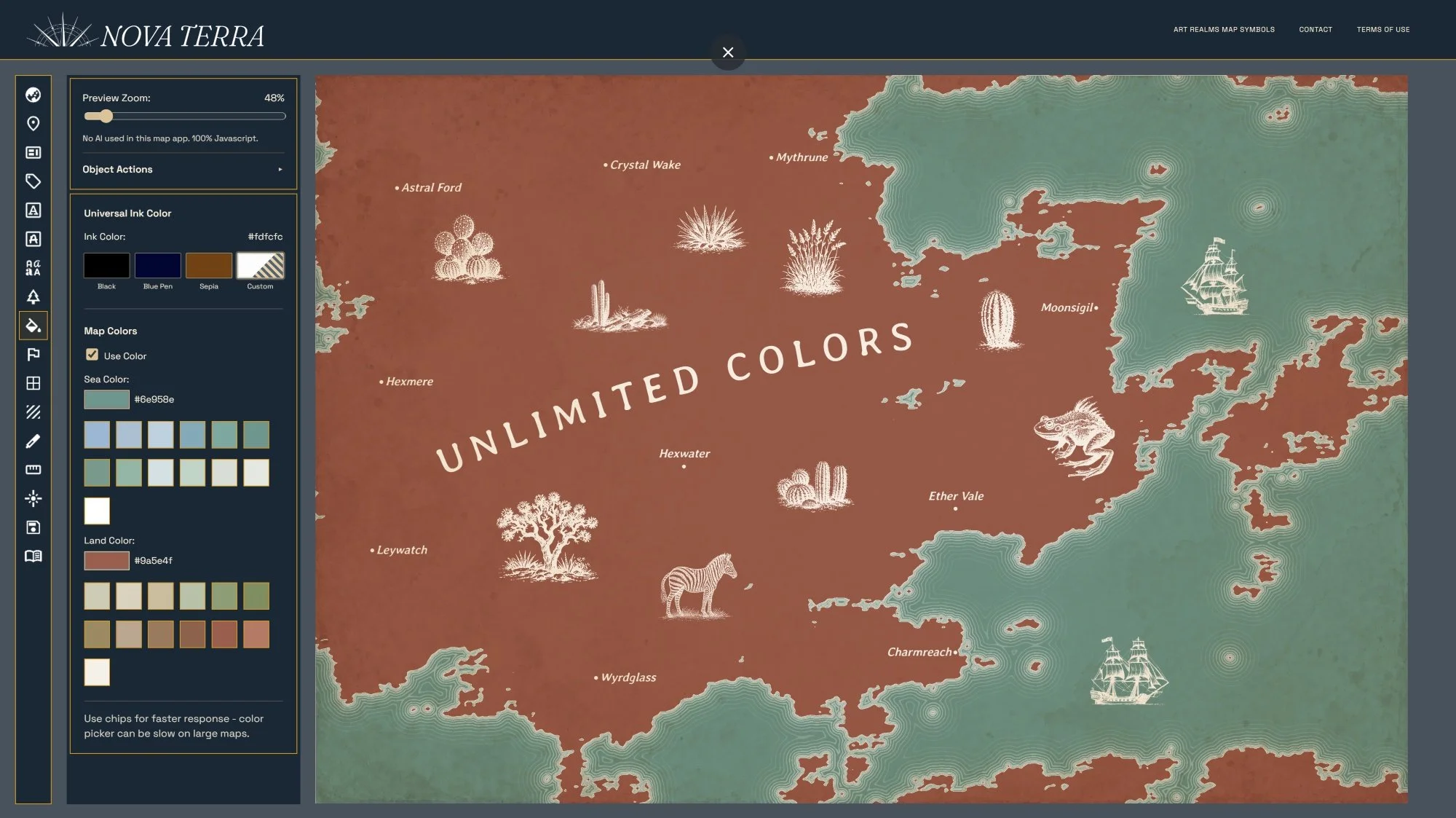
Colors
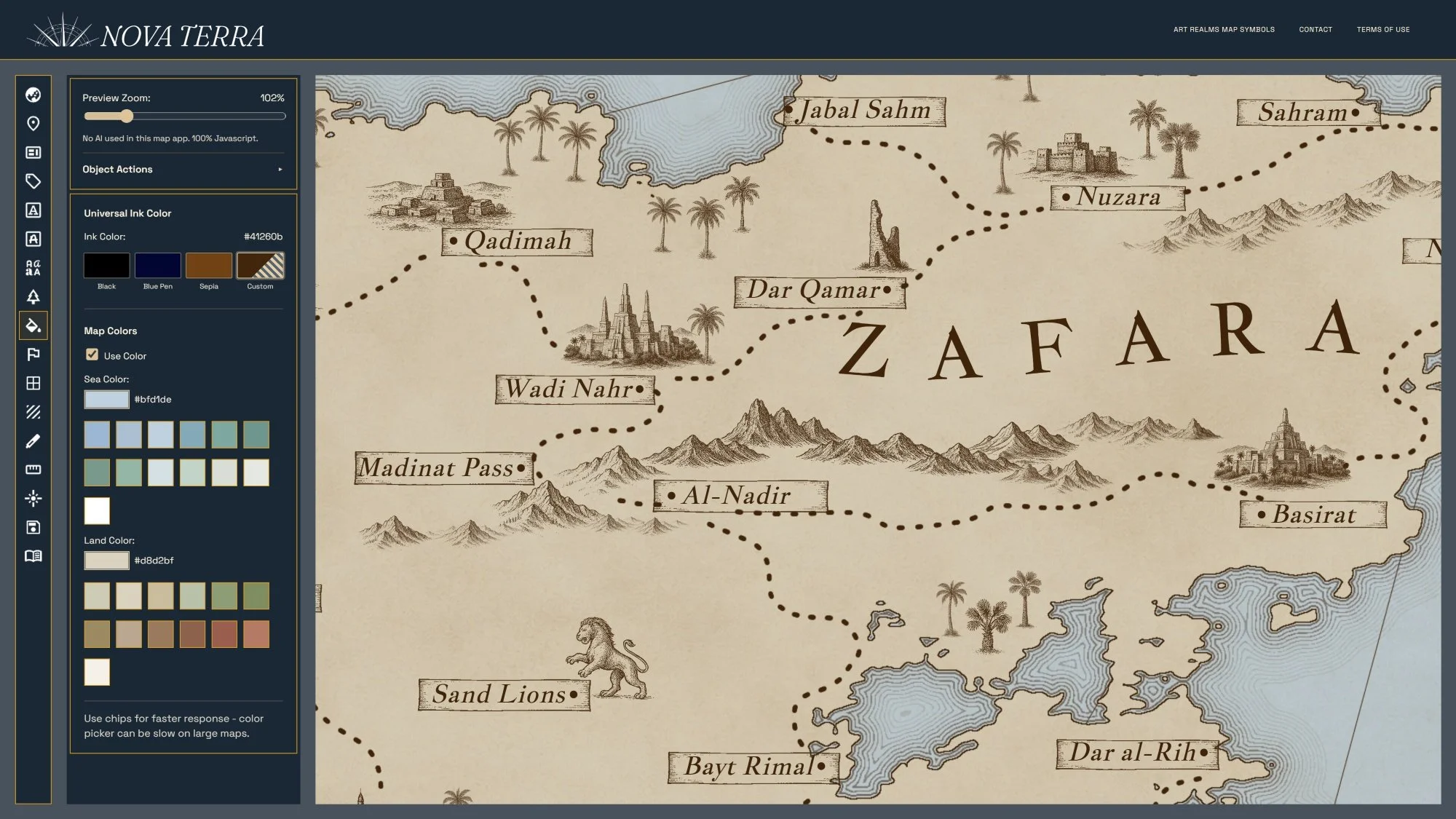
Universal ink color with presets; full map color on/off; sea and land color palettes with swatches; monochrome print land tone option.

Paint
Nova Terra includes a painting layer for sketching, adding soft color, shading, highlights, or hand-painted details directly on the map. Choose your color, adjust opacity, blur, and brush size, then paint subtle atmosphere, terrain variation, regional tinting, or finishing touches.

Grid
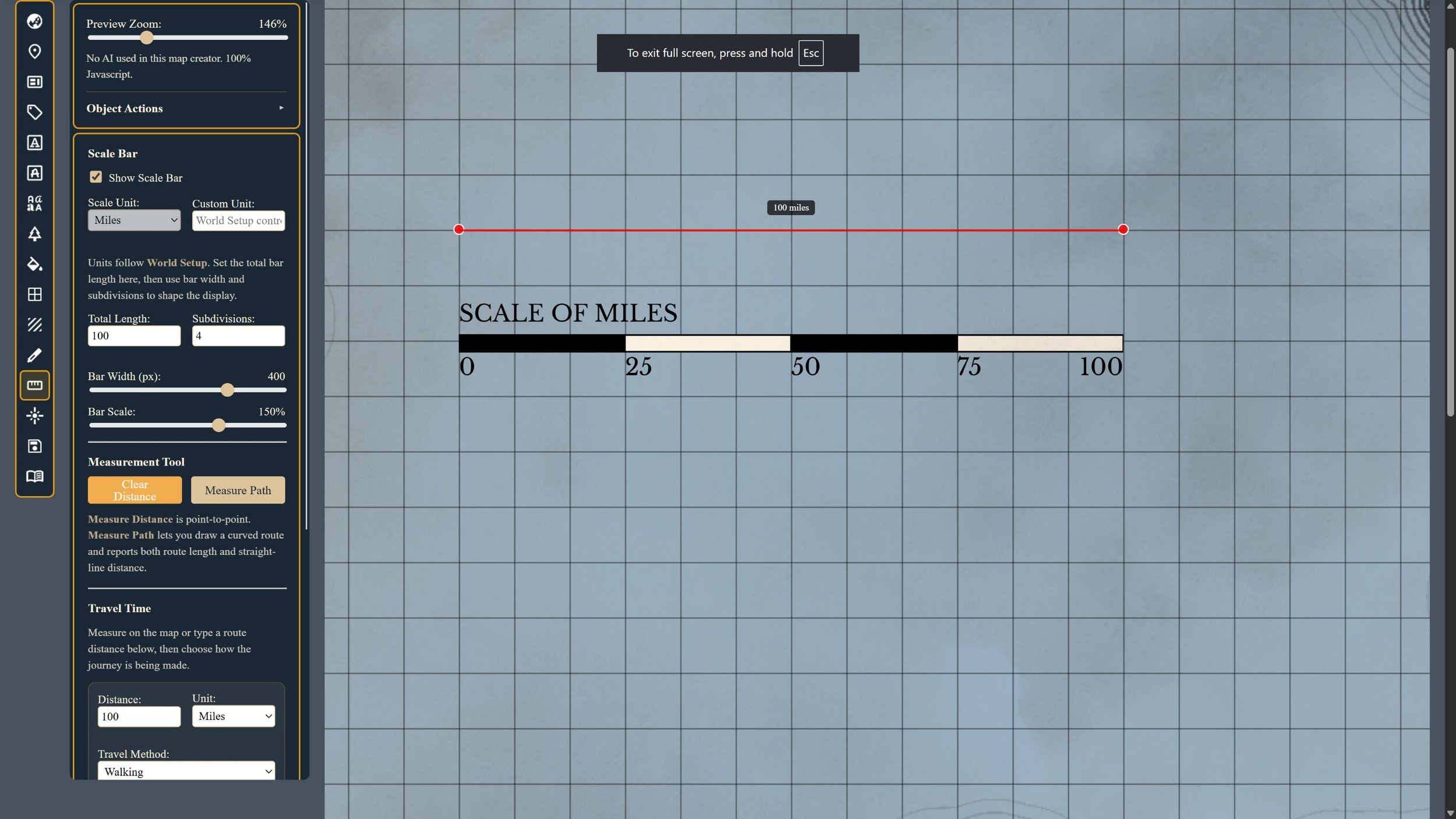
Show/hide; square or hex grid; pixel-based grid size; line weight; opacity; color; print-size guidance, synch to scale bar option.

Textures & Border
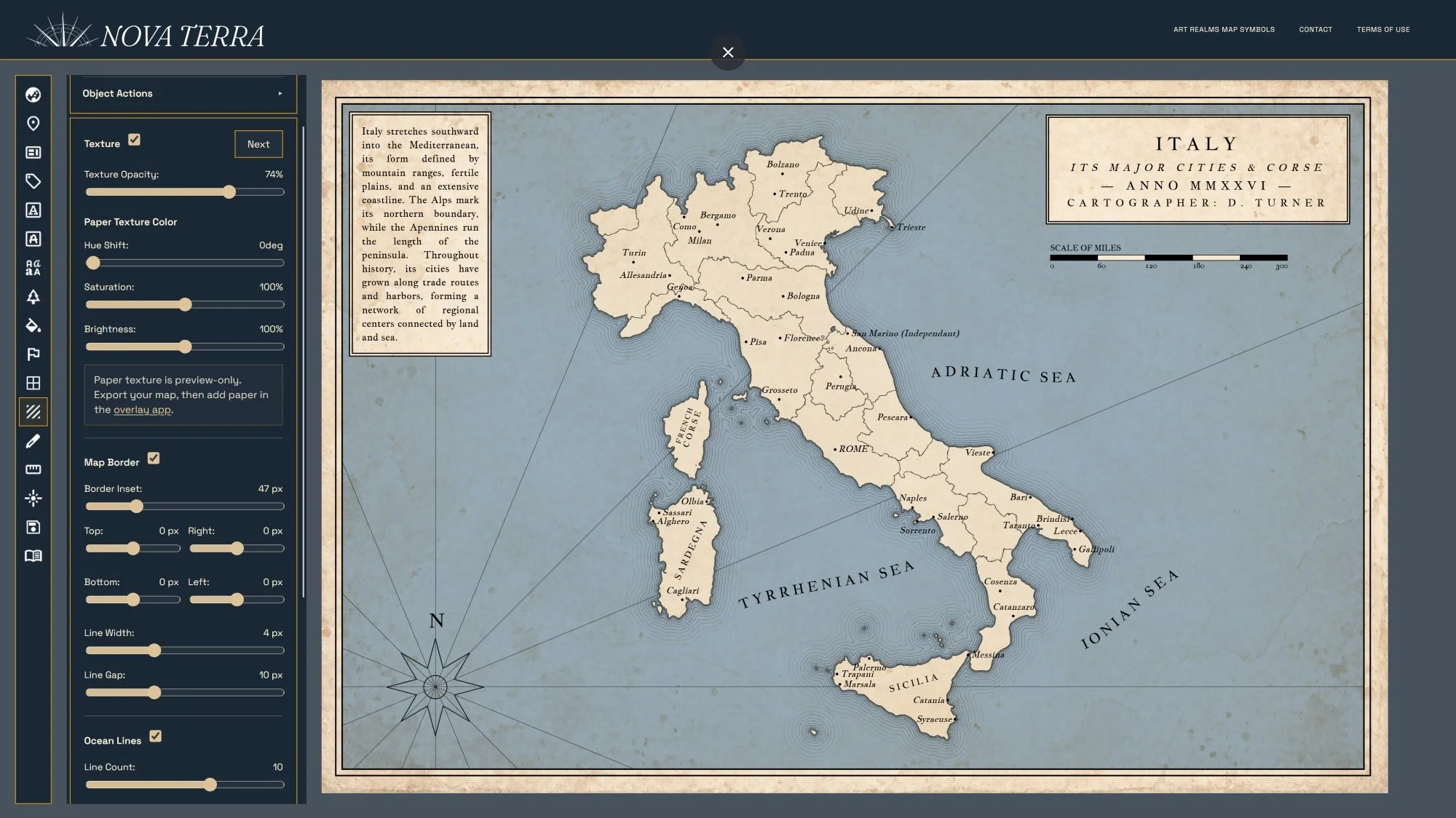
Paper texture preview with show/next/opacity plus hue, saturation, and brightness tint controls; map border show/inset/line width/gap; ocean lines with count, gap, growth, weight, and detail; optional ocean dot pattern with size, density, variation, and swing. Paper texture appears in-app as a preview (for now); applying that texture to the exported PNG currently uses the included companion texture app.

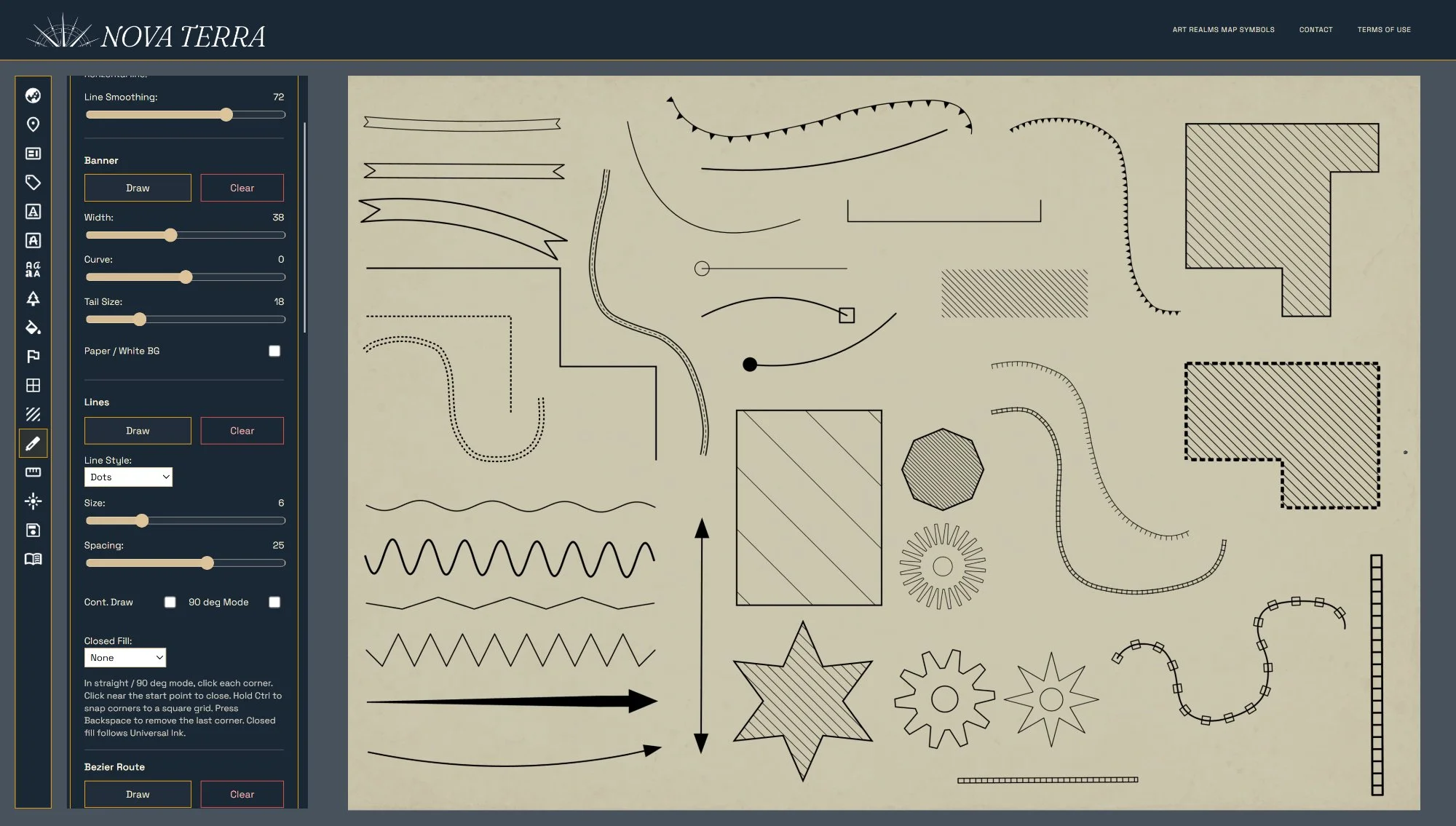
Drawing Tools
Ribbon/banner drawing; line smoothing; line drawing with multiple styles including road, wave, zigzag, and double-line variants; continuous and orthogonal draw; closed fills with solid/hatched/paper/custom options; bezier routes; arrows and double arrows; callouts; shapes including rectangle, square, ellipse, circle, polygon, star, and gear; post-placement shape editing; hatching; brackets; compasses; fences, tracks, walls, fortifications, and bridges.

Scale Bar
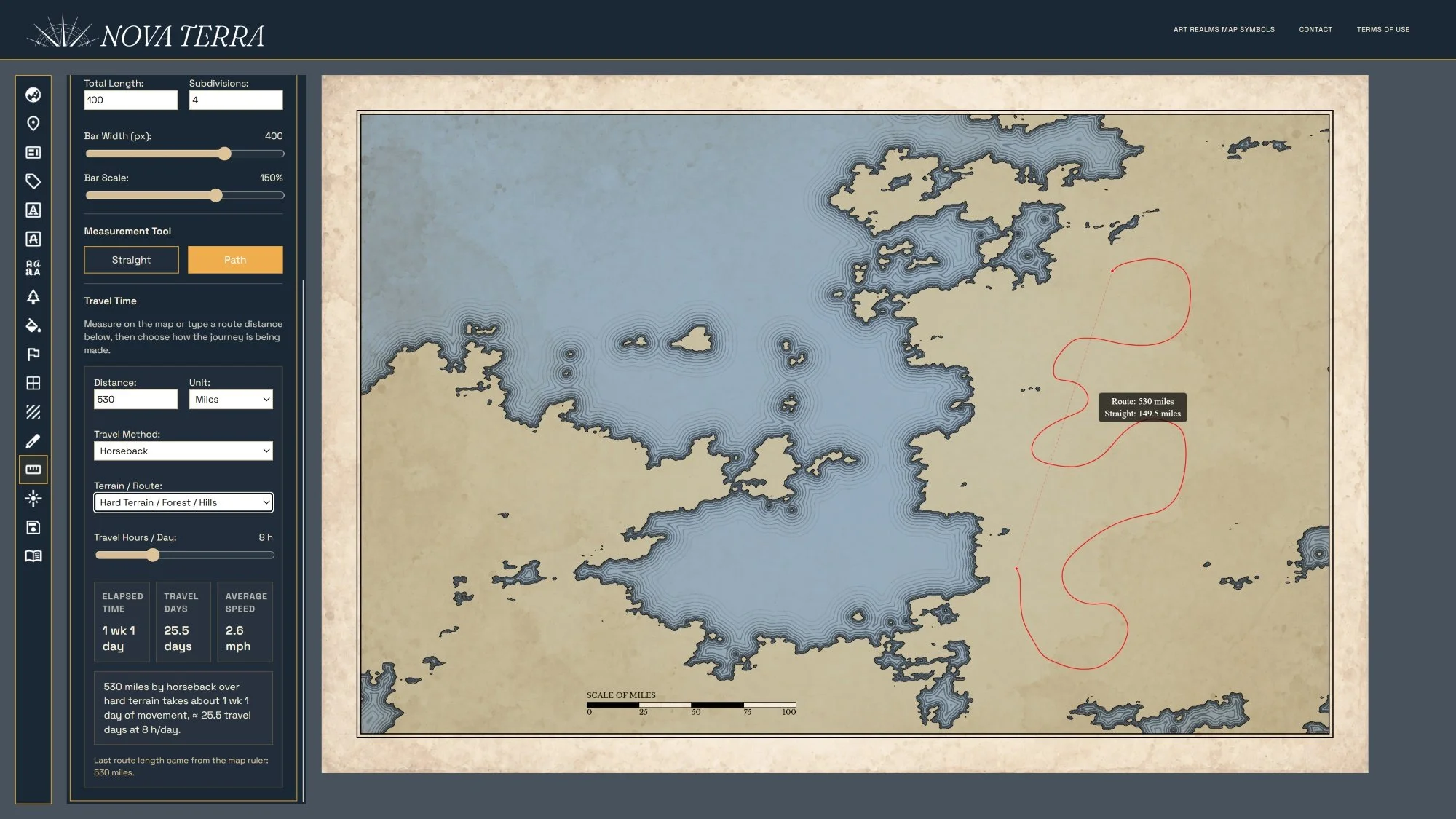
Show/hide; world-setup-linked units and length; subdivisions; bar width and scale; straight-distance ruler; curved path measurement; travel-time calculator with distance/unit, custom units, travel method, terrain, hours per day, elapsed time, travel days, and average speed.

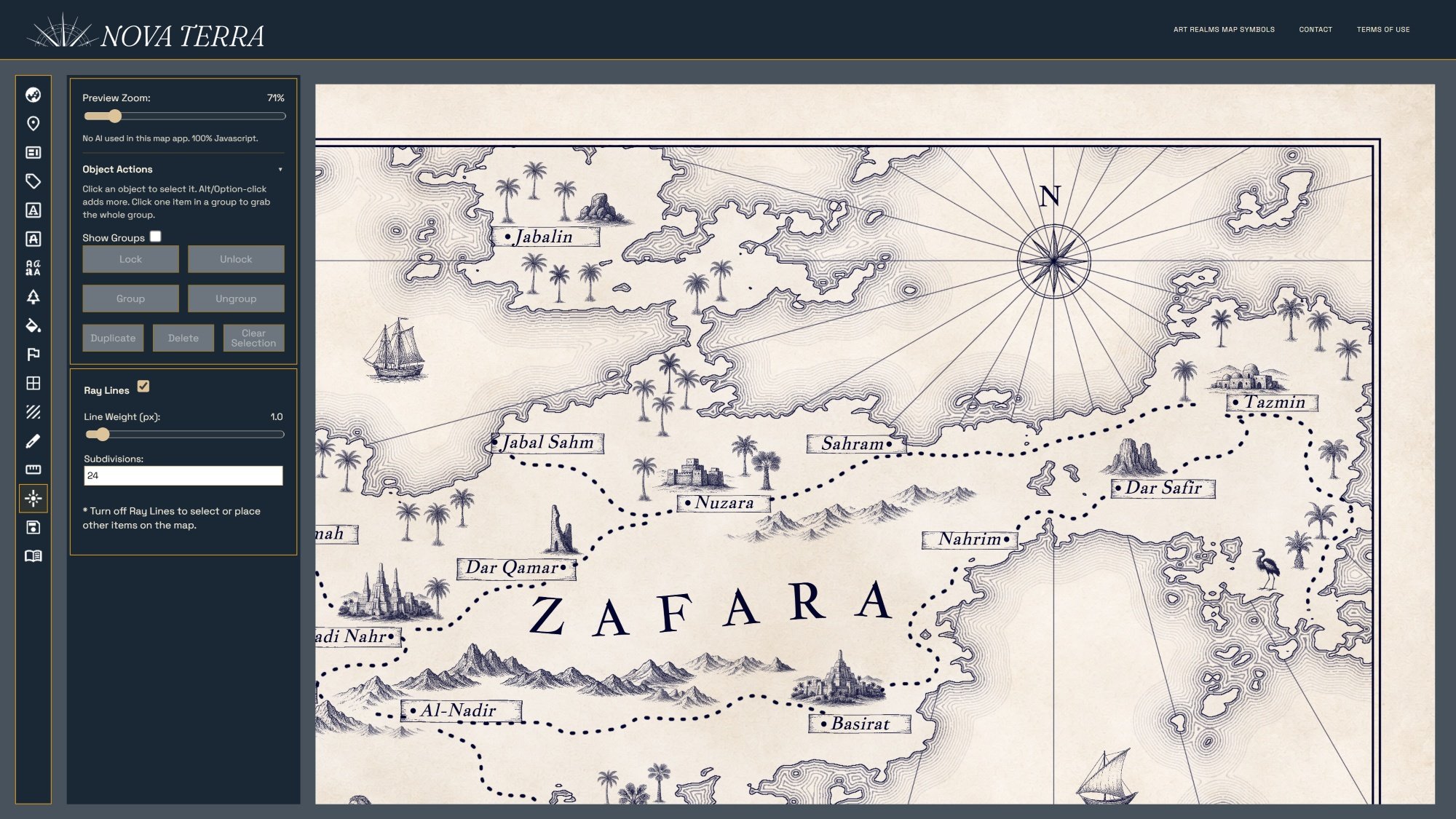
Ray Lines
Show/hide; line weight; subdivision count; decorative radial overlay.

Save & Load
Maps save locally as editable .json files and can be exported as high-resolution PNGs.

Manual
Floating quick manual covering getting started, real-place workflows, stamps, labels/layout, color/texture, drawing tools, measurement/export, and license/contact.

The Flex
Nova Terra is not a thin drawing tool. Its codebase is roughly 180,000 words—about the length of The Fellowship of the Ring—representing a massive amount of interconnected map logic, editing behavior, export handling, and workflow design.

And this is only the beginning. Nova Terra is being built as part of a larger creative ecosystem: map making, storytelling, and worldbuilding tools designed to work together.


Updated to V2 with more features
Create real or fantasy maps with scale, biomes, grids, settlements, notes, stamps, and export settings working together. Nova Terra journeys leagues beyond drawing pictures on a page: locations become places with populations and climates, popup note cards sync to sorted settlement lists, and every major map element stays editable.

Generate and reshape landmasses with full control—raise or lower sea levels, tune coastline roughness, zoom into regions, and increase resolution without redrawing. Apply a unified ink style or full color instantly. Measure distance with instant travel-time readouts, import auto-cleaned PNG stamps, and export print-aware maps at exact size.

Every system stays editable. Every detail stays under your control.

Nova Terra isn’t a paint program. It’s a non-destructive system for building maps that hold together.

Nova Terra is browser based, and can run offline. It works in Chrome, Opera, Firefox, and Microsoft Edge. Safari and Mac support is still being confirmed.

Your download includes a private access link and password. Nova Terra is designed to run locally after symbols download, meaning you can keep using it offline from your computer without accounts, logins, or server access. Files save to your pc.

Key Features

  • Procedural landmass generation with sea level, roughness, zoom, and seed history

  • World scale, biomes, grids, measurement, and travel time designed to work together

  • Place info with climates, populations, hover cards, notes, and settlement lists

  • Labels, regions, title blocks, boxed text, and free text with typographic control

  • 1,600 included stamps plus unlimited custom PNG imports with instant cleanup

  • Universal ink, full-color map mode, monochrome print options, textures, and borders

  • Flexible canvas sizing with 300 DPI print-size readouts

  • Save groups of symbols for later use

  • Favorite symbols

  • Save editable JSON files and export high-resolution PNGs

I spent a year developing and refining Nova Terra into an unusually flexible, deeply editable map creator. Check out the full specs:

Preview Zoom
10% - 500%

Object Actions
Lock/unlock selected objects; group/ungroup; duplicate; delete; clear selection, align left, center, right etc,

Map Settings
Map width/height with 300 dpi print-size readouts; procedural generation controls with seed history/back; world setup with map span, units, biome focus, moisture bias, biome guides; draw/erase land; river drawing with start/end width and optional outline; reference image upload/show/opacity with drag/rotate/scale workflow; landmask import; local zoom/unzoom into a selected region.

Place Info
Click labels or map points to add worldbuilding notes; optional hover cards; generated biome/climate summary from world setup; edit selected place; clear saved info; settlement list, export settlement list to .txt file.

Title Block
Show/hide; title, subheading, year (automatic roman numerals), cartographer; letter spacing and italic; border width; box width and scale; left/top position; extra top/bottom padding.

Labels
City or state/region labels; city/state font sizing; state letter spacing, per-label wave, optional S-curve; culture-based name suggestions; batch label creation from pasted lists; optional auto-place on land/coast; add, hide, and clear labels.

Text Boxes
Add boxed text blocks; edit content; selected box font size, width, padding, alignment, border on/off, border width, and double border.

Free Text
Add loose text anywhere; selected text font size, letter spacing, curve, and map-based rotation after placement.

Fonts
One shared universal font for labels, place info, title block, text boxes, and free text; bundled and system-font workflow notes for export.

Stamps
Pop-out stamp library; custom upload unlimited stamps, 1,600 included stamps neatly organized and labeled; import PNG stamps from single files or folders; auto-recognizes folders/subfolders and organizes them into dropdowns; bundled symbol-pack guide and external pack links; global placed-stamp opacity, size, and
auto-cleanup/cleanup controls; place/hide/cancel; rectangle select; area fill; lasso/rectangle fill shape; fill density; prevent overlap; continuous stamp; random size variation. 

Colors
Universal ink color with presets; full map color on/off; sea and land color palettes with swatches; monochrome print land tone option.

Paint
Nova Terra includes a painting layer for sketching, adding soft color, shading, highlights, or hand-painted details directly on the map. Choose your color, adjust opacity, blur, and brush size, then paint subtle atmosphere, terrain variation, regional tinting, or finishing touches.

Grid
Show/hide; square or hex grid; pixel-based grid size; line weight; opacity; color; print-size guidance, synch to scale bar option.

Textures & Border
Paper texture preview with show/next/opacity plus hue, saturation, and brightness tint controls; map border show/inset/line width/gap; ocean lines with count, gap, growth, weight, and detail; optional ocean dot pattern with size, density, variation, and swing. Paper texture appears in-app as a preview (for now); applying that texture to the exported PNG currently uses the included companion texture app.

Drawing Tools
Ribbon/banner drawing; line smoothing; line drawing with multiple styles including road, wave, zigzag, and double-line variants; continuous and orthogonal draw; closed fills with solid/hatched/paper/custom options; bezier routes; arrows and double arrows; callouts; shapes including rectangle, square, ellipse, circle, polygon, star, and gear; post-placement shape editing; hatching; brackets; compasses; fences, tracks, walls, fortifications, and bridges.

Scale Bar
Show/hide; world-setup-linked units and length; subdivisions; bar width and scale; straight-distance ruler; curved path measurement; travel-time calculator with distance/unit, custom units, travel method, terrain, hours per day, elapsed time, travel days, and average speed.

Ray Lines
Show/hide; line weight; subdivision count; decorative radial overlay.

Save & Load
Maps save locally as editable .json files and can be exported as high-resolution PNGs.

Manual
Floating quick manual covering getting started, real-place workflows, stamps, labels/layout, color/texture, drawing tools, measurement/export, and license/contact.

The Flex
Nova Terra is not a thin drawing tool. Its codebase is roughly 180,000 words—about the length of The Fellowship of the Ring—representing a massive amount of interconnected map logic, editing behavior, export handling, and workflow design.

And this is only the beginning. Nova Terra is being built as part of a larger creative ecosystem: map making, storytelling, and worldbuilding tools designed to work together.